 Zudo Works
Records, lookups and subforms
Where: /forms/<slug> (list), /forms/<slug>/records/<id> (detail) [forms.read; write forms.write]
- Records are numbered per form (
#17), carrydata(validated and normalised per field type), creator and timestamps. Lists support search, JSON filters per field, sort, pagination; export. - Lookups store ids and display the target's title; pickers search the tenant's items, customers, vendors, warehouses or the target form's records (
GET /lookups/:target), with + Add new. Values must exist in the tenant. - Bi-directional links: every lookup value creates a link row, so an item or customer page (and another form's record) shows Referenced in — the custom records pointing at it (
GET /links/:target/:id,linked_fromon a record). - Subforms: a grid of rows (child fields) inside a record; rows can contain lookups with an explicit match field; the detail view renders them as a table; analytics can expand a subform into one row per entry ("Defects › Qty").
- Workflow runs of the record are listed on its detail page.
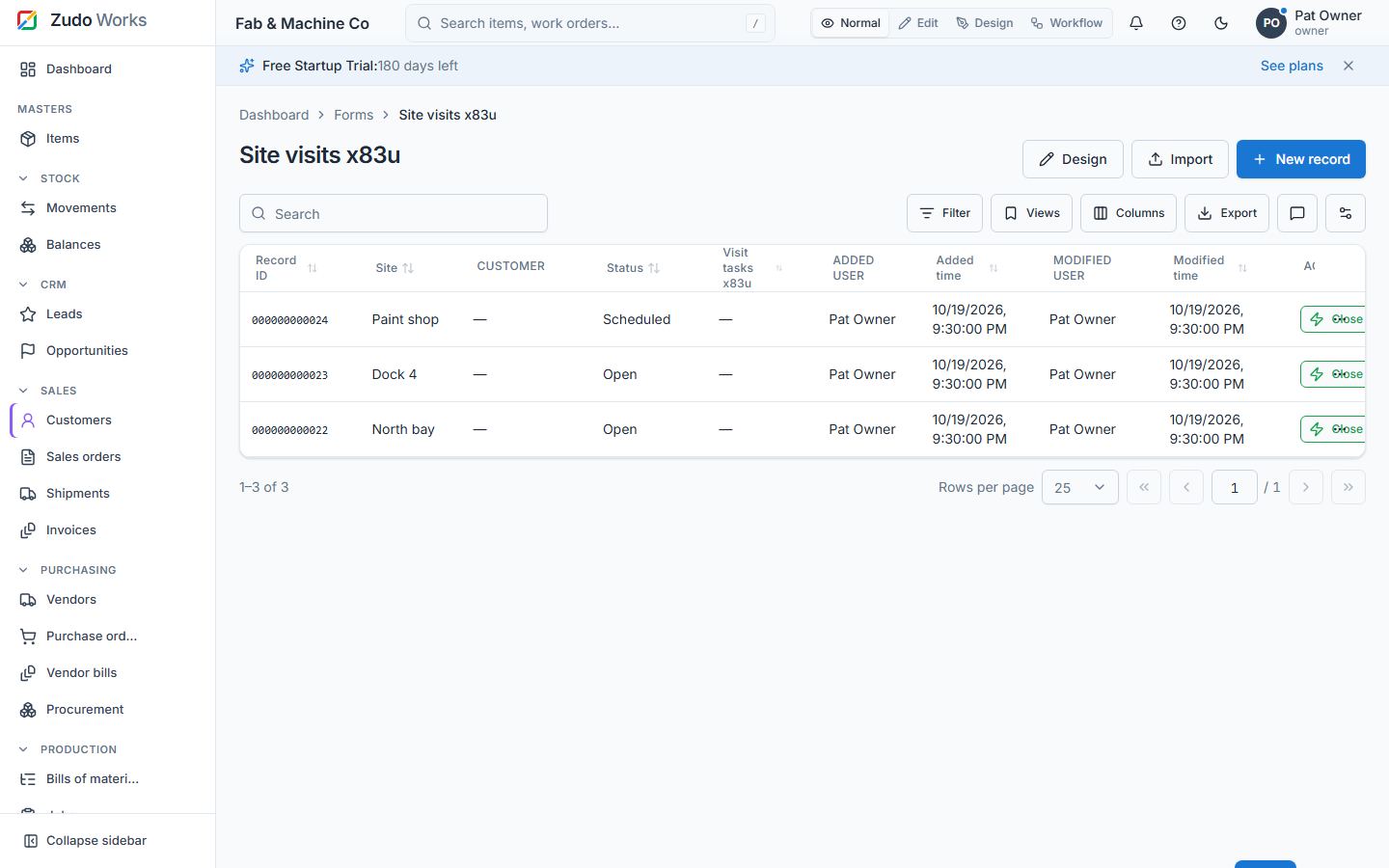
Record ID, Added user and Modified user
Every record shows its Record ID (12 digits, copy button), Added user with the time and Modified user with the time on its page; the report lists the same columns, plus the record's Stage when the form has an active blueprint (§24) and its record buttons (§21).
Subforms from an existing form
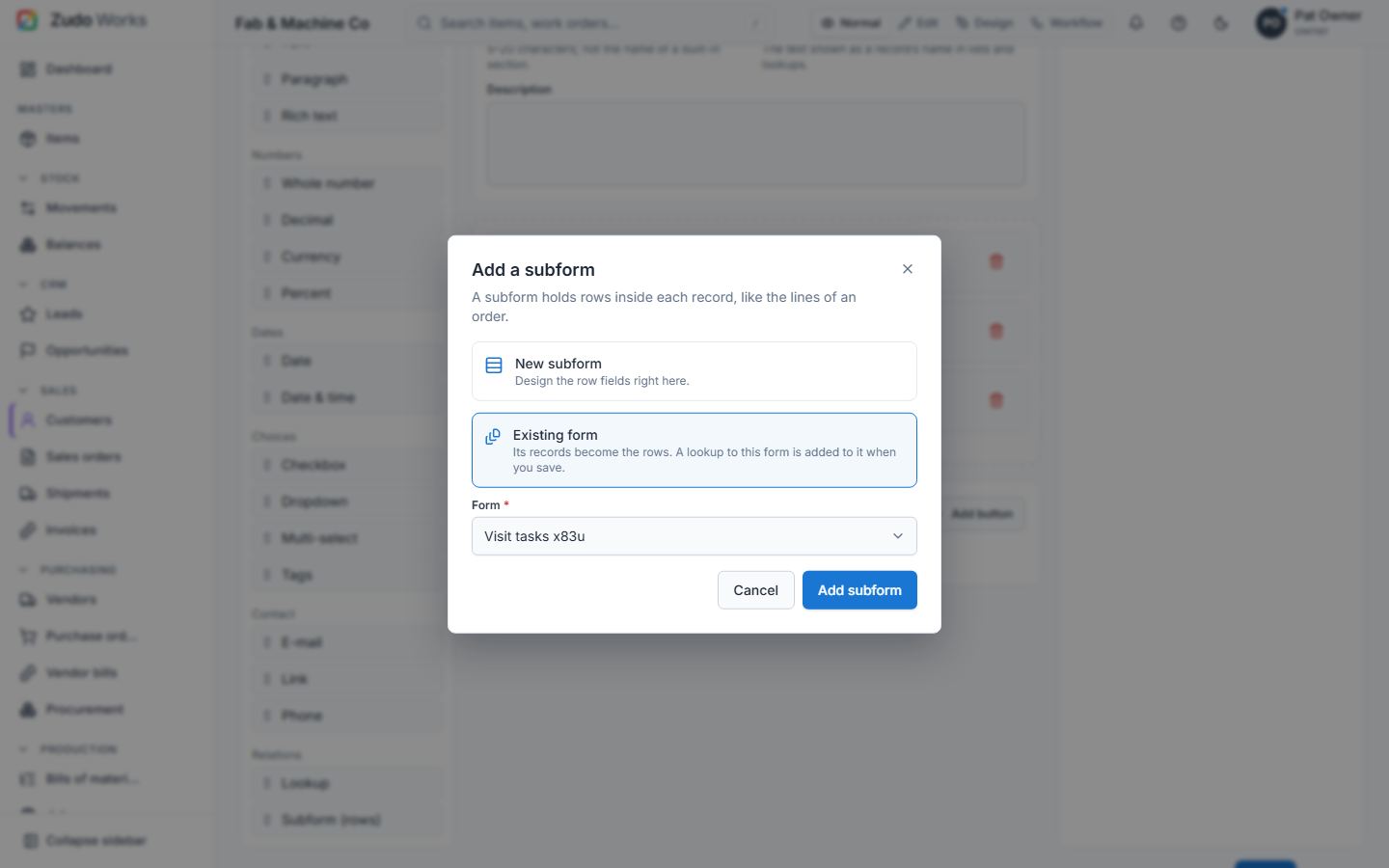
Dropping a Subform on the designer asks where its rows come from:
- New subform — design the row fields right here (the classic subform).
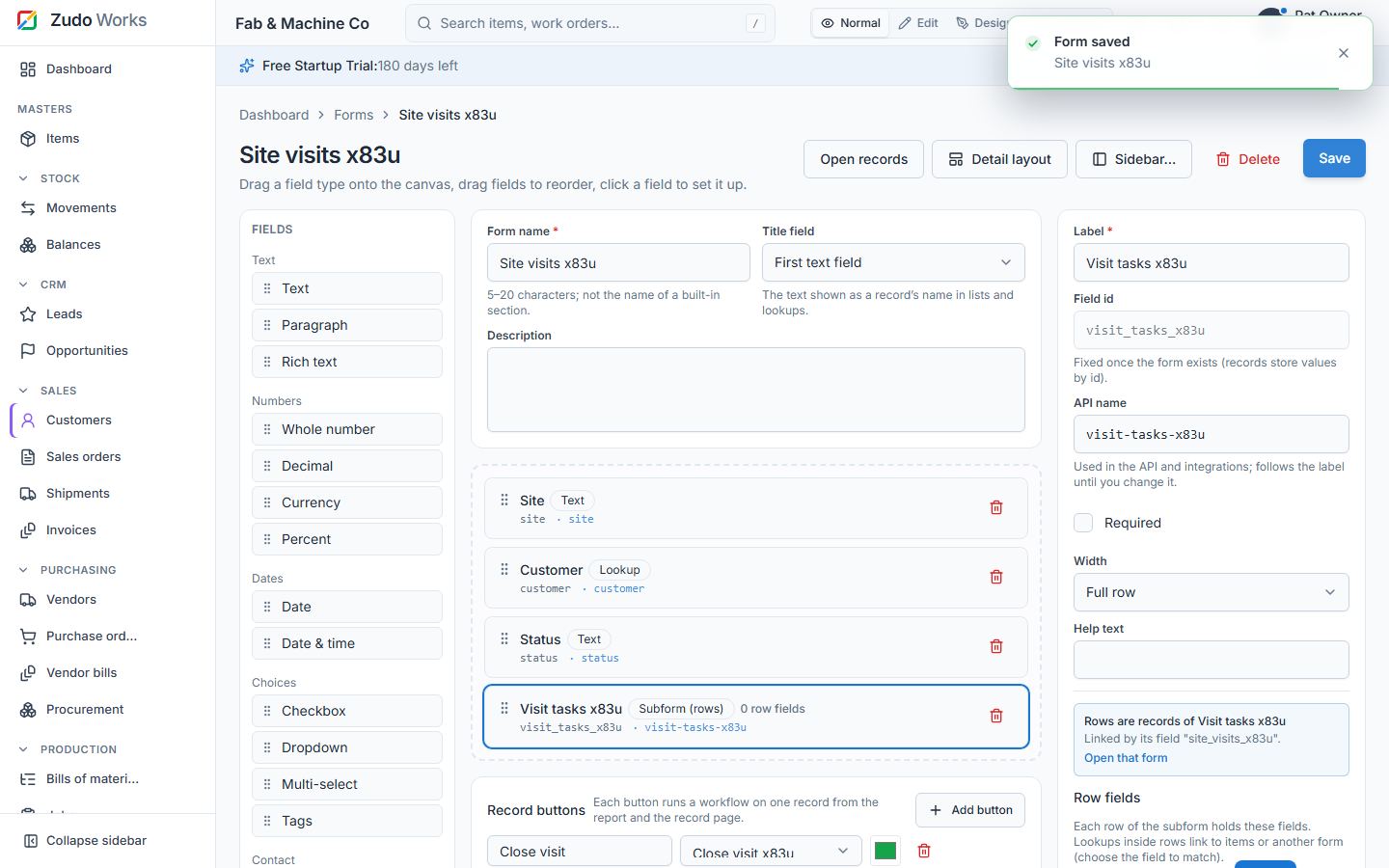
- Existing form — pick another form; its records become the rows. When you save, a lookup back to this form is added to that form automatically (its "link field"), so every row knows its parent and the child form keeps working on its own (its own report, workflows and blueprint).
The settings panel shows the linked form and its link field. Rows are added, edited and removed from the parent record exactly like inline rows; deleting the parent removes its rows.
Last updated