 Zudo Works
Workflow rules and functions
Where: Settings → Low-code → Workflows (/workflows) [workflows.manage]
Rules
| Part | Options |
|---|---|
| Trigger | record_created, record_updated, record_saved (either), record_deleted — bound to a form; report_button — fired from a module report, not bound to a form |
| Condition | JSONLogic with an operator allow-list: var, missing, missing_some, if, ?:, ==, ===, !=, !==, !, !!, or, and, >, >=, <, <=, max, min, +, -, *, /, %, map, filter, reduce, all, none, some, merge, in, cat, substr (depth and size limited) |
| Steps | send_email (to, subject, body templates), create_record (form, values), update_record (current or another record), invoke_url (GET/POST/PUT/PATCH/DELETE, headers, JSON body, timeout), set (variable), if / else, for_each, for, while, break, call (function), return |
| Templates | {{record.<field>}}, {{vars.<name>}}, {{actor.display_name}}, {{meta.record_no}}, {{meta.form_name}}; HTML-escaped in e-mails |
| Scope | record (after the change), previous (before), vars, actor, meta (trigger, form, record number; for report buttons report.name, report.total_rows and vars.rows ≤ 200) |
| Enabled | Toggle from the list; disabled rules do not run |
Workflows on every section
A workflow rule can run on any built-in section as well as on your own forms: items, units, warehouses, stock movements, stock balances, BOMs, jobs, work centres, customers, sales orders and quotes, deliveries, invoices, payments received, vendors, purchase orders, vendor bills, payments made, chart of accounts, journals, expenses, credit notes, vendor credits, fixed assets, leads, deals, campaigns, contacts, activities, inspections, NCRs and CAPAs.
Create one: switch to Workflow mode on the section's page (or press the workflow button of its sidebar entry) → New workflow for <section>. Or open Workflows → New rule and pick the section under Built-in sections in Form or section. Choose the event, add conditions on the section's fields (its custom fields are listed too) and add the steps.
| Event | Sections | Fires when |
|---|---|---|
| Record created / updated / deleted | every section with records | a record is added, changed (any field, custom fields included) or deleted |
| Record created or updated | every section with records | either of the two |
| Status changed | sections with a status (stage, result) | e.g. an order is confirmed, an invoice issued or paid, a job released or completed |
| Movement posted | Stock movements | stock is posted — from the movement form or a delivery, receipt, job issue … |
| Movement cancelled or reversed | Stock movements | a movement is cancelled |
| Stock balance changed | Stock balances | a posting changes an item's on-hand quantity in a warehouse |
| Stock fell below the reorder point | Stock balances | the on-hand quantity drops below the item's low-stock alert level (once) |
| Button on a record | every section with records | someone presses the rule's button on the record (Items: in the item form) |
What the rule sees: record.<field> (built-in fields and custom fields as record.ext_<field id>), previous.<field> (before an update or status change), meta.record_title, meta.record_url, meta.actor_name, meta.actor_email and meta.owner_email. A stock movement also has record.lines (each line's item_code, item_name, quantity and the item's custom fields as item_ext_<field id>); a balance has reorder_point (the highest low-stock alert level set for the item) and the item's custom fields.
Steps can change built-in records too: Update record on the record itself, or on another Items / Customers / Vendors / Warehouses / Work centres / Jobs / Sales / Purchase order record (built-in fields and custom fields, checked like an edit); Create record can add an item, customer, vendor, warehouse, work centre or lead. A rule that fails is logged in its run log and never stops the save that triggered it.
Example — "e-mail me when stock of an item that may not be moved is posted": section Stock movements, event Movement posted, condition some line has Allow Movements = No ({"some":[{"var":"record.lines"},{"==":[{"var":"item_ext_allow_movements"},"No"]}]}), step Send e-mail to {{meta.owner_email}}. Zudo AI builds such rules when asked.
Functions
Reusable step lists with parameters; void or value-returning (return). Called with call; nest up to 5 deep. Test runs a function with sample inputs.
Run log
Every run records matched / not matched, status (success, partial, failed, skipped), per-step path, type, status and detail, and the error. Failures in one step are isolated: the rest of the run and other rules still execute.
Limits and safety
| Limit | Value |
|---|---|
| Steps per run (all branches, loops, calls) | 5,000 |
| Iterations per loop | 1,000 |
| Nested function calls | 5 |
| Chain depth (workflow writes that trigger further workflows) | 3 |
| E-mail recipients per step | 20 |
| Invoke URL timeout | 10 s; redirects not followed; private, loopback, link-local, metadata, CGNAT and multicast targets refused (DNS resolved) |
Blueprints: stages, transitions and the journey
Where: Settings → Low-code → Blueprints (/blueprints), or the Edit mode bar [forms.read; design forms.design; moving records forms.write]
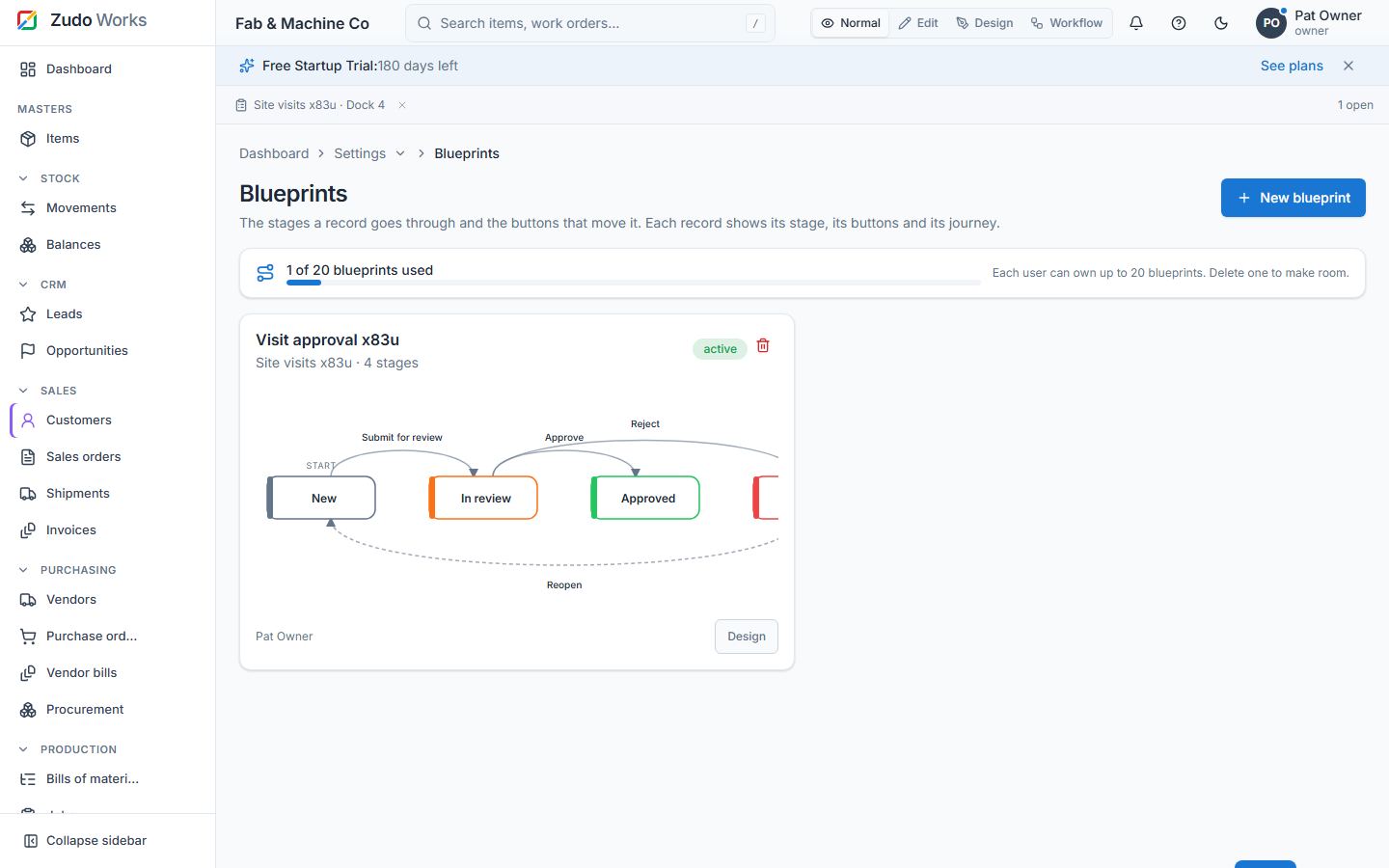
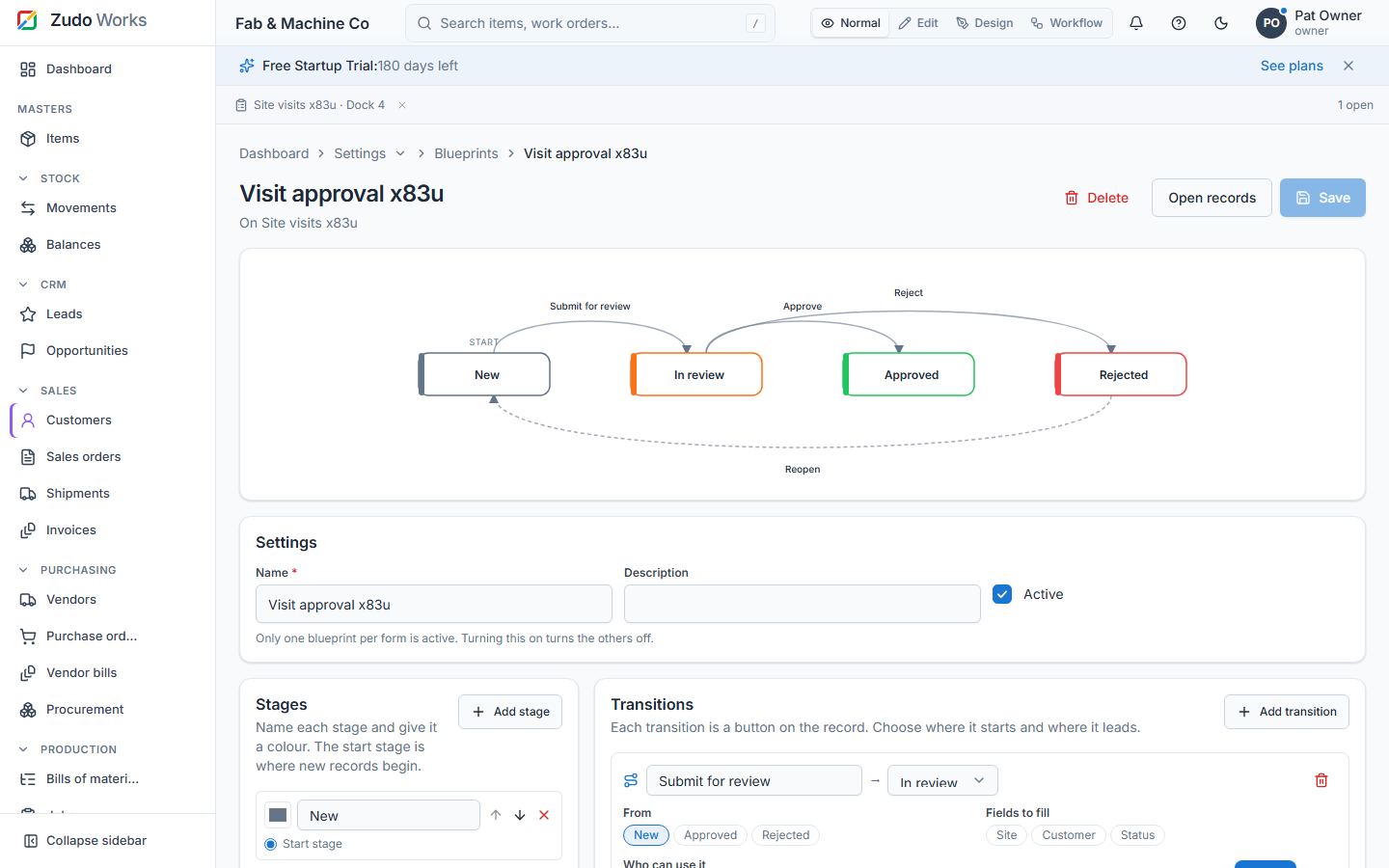
A blueprint is the process a form's records go through. It has stages (name and colour; one is the start stage) and transitions — the buttons that move a record from one or more stages to another.
- Create from a template — Approval (New → In review → Approved / Rejected), Pipeline (Open → In progress → Done) or Blank — then change everything in the designer: up to 30 stages and 60 transitions. Delete any time; records keep their data.
- Each transition can ask for a comment, ask for fields to fill (saved on the record), be limited to roles, and run a workflow ("Button on a record" rule) after the move.
- One blueprint per form is active; turning another on turns the others off.
- Each person can own up to 20 blueprints.
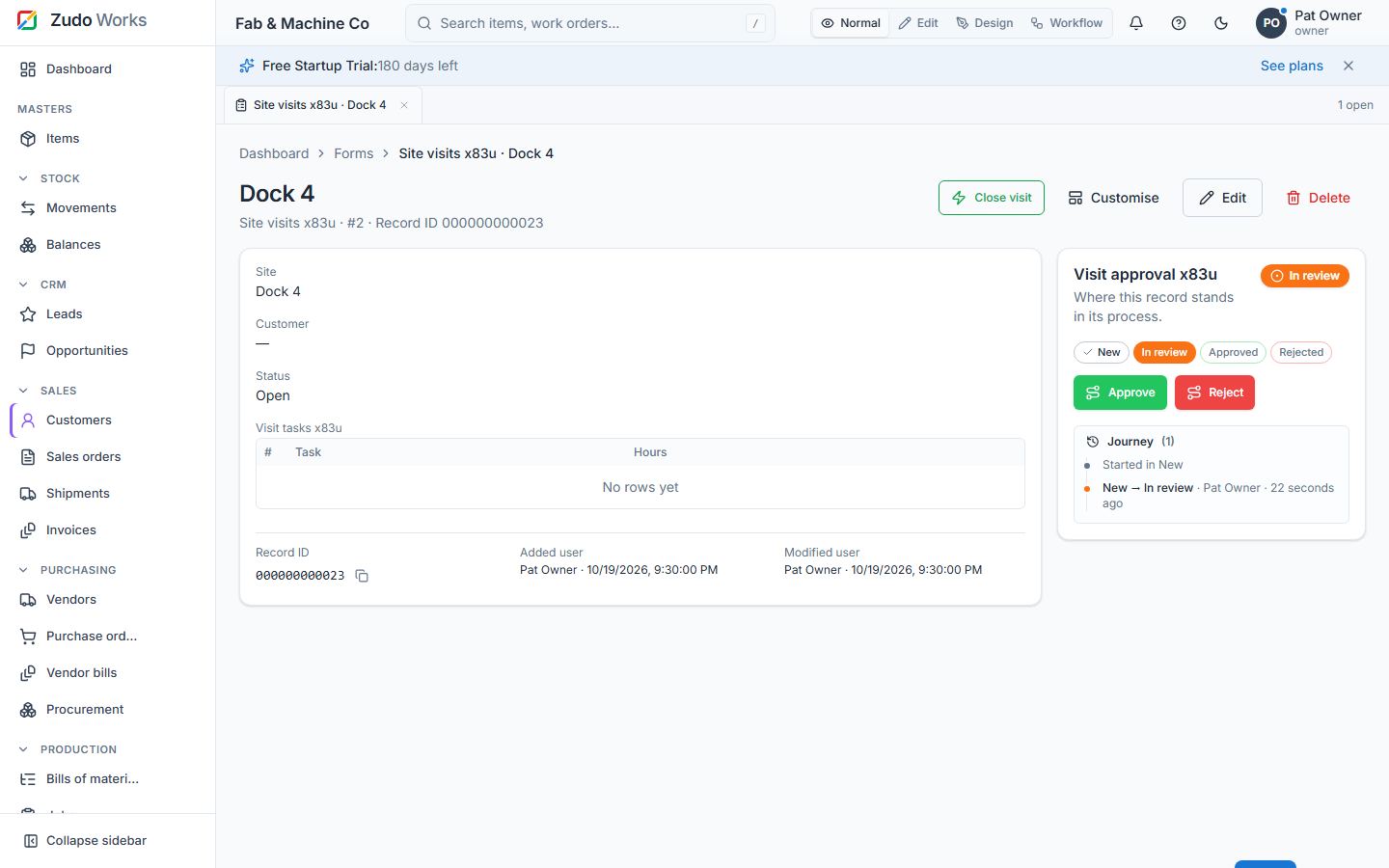
On the record page the blueprint panel shows the current stage, the stages as a progress strip, a button per transition the viewer may take, and the journey: every move with who, when and the comment. Reports show the stage of each record.
Last updated