 Zudo Works
Comments on cells and rows
Where: any table with a table id (every built-in list and every custom-form table) [the table's read permission to see, the same to write; owners may edit anyone's]
Right-click a cell → Comment on this cell (or Comment on this row). The thread opens in a dialog: type, mention a colleague with @ (suggestions appear as you type; a mention notifies them), send with Ctrl / ⌘ + Enter. A cell or row with an open thread shows a dot; the table's Comments button counts the open threads and opens the comments panel, which lists every thread of the table and jumps to its cell. Resolve closes a thread (resolved threads stay readable with "include resolved"); the author (or an owner) can edit or delete a comment.
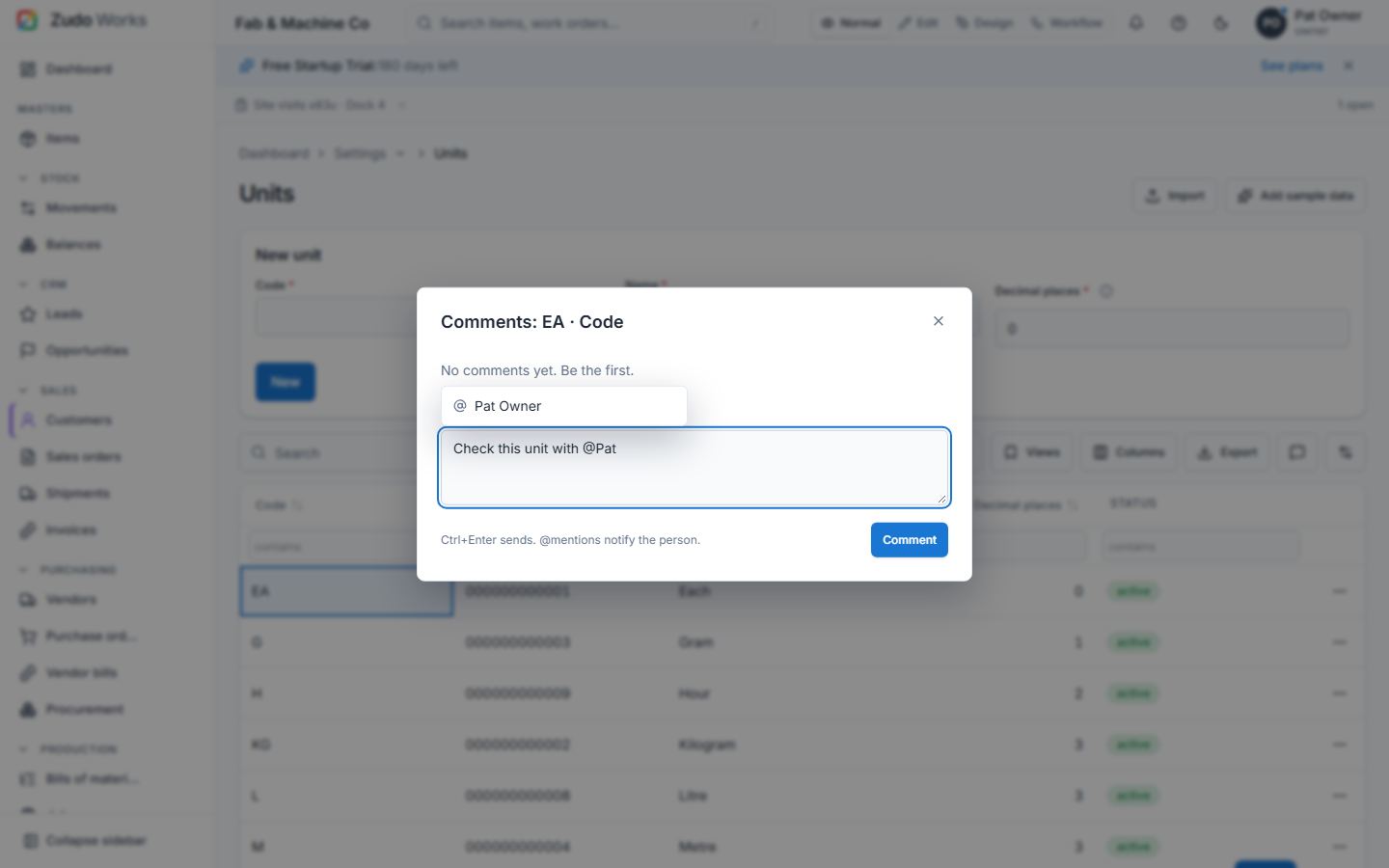
Comments are stored per table key (items, sales-orders, form-<id>, …), row id and optional column key, so they survive sorting, filtering and renaming of columns. Go to on a comment reaches its row wherever it is — on another page, filtered out or far down a long table.
Last updated