 Zudo Works
Field API names and the built-in fields
Where: the form builder (/forms/<slug>/design) [forms.design; built-in overrides settings.manage]
Every custom-form field has an API name: kebab-case from the label (Sales order description → sales-order-description; accents and symbols dropped; a duplicate gets -2), unique within the form, editable in the builder (it follows the label until you change it). The records API accepts and returns API names with ?keys=api:
GET /api/v1/forms/site-visits/records?keys=api
→ { "items": [ { "id": "…", "data": { "site": "North bay", "customer": "…" } } ] }

POST /api/v1/forms/site-visits/records?keys=api
{ "data": { "site": "Dock 4", "visit-date": "2026-10-19" } }
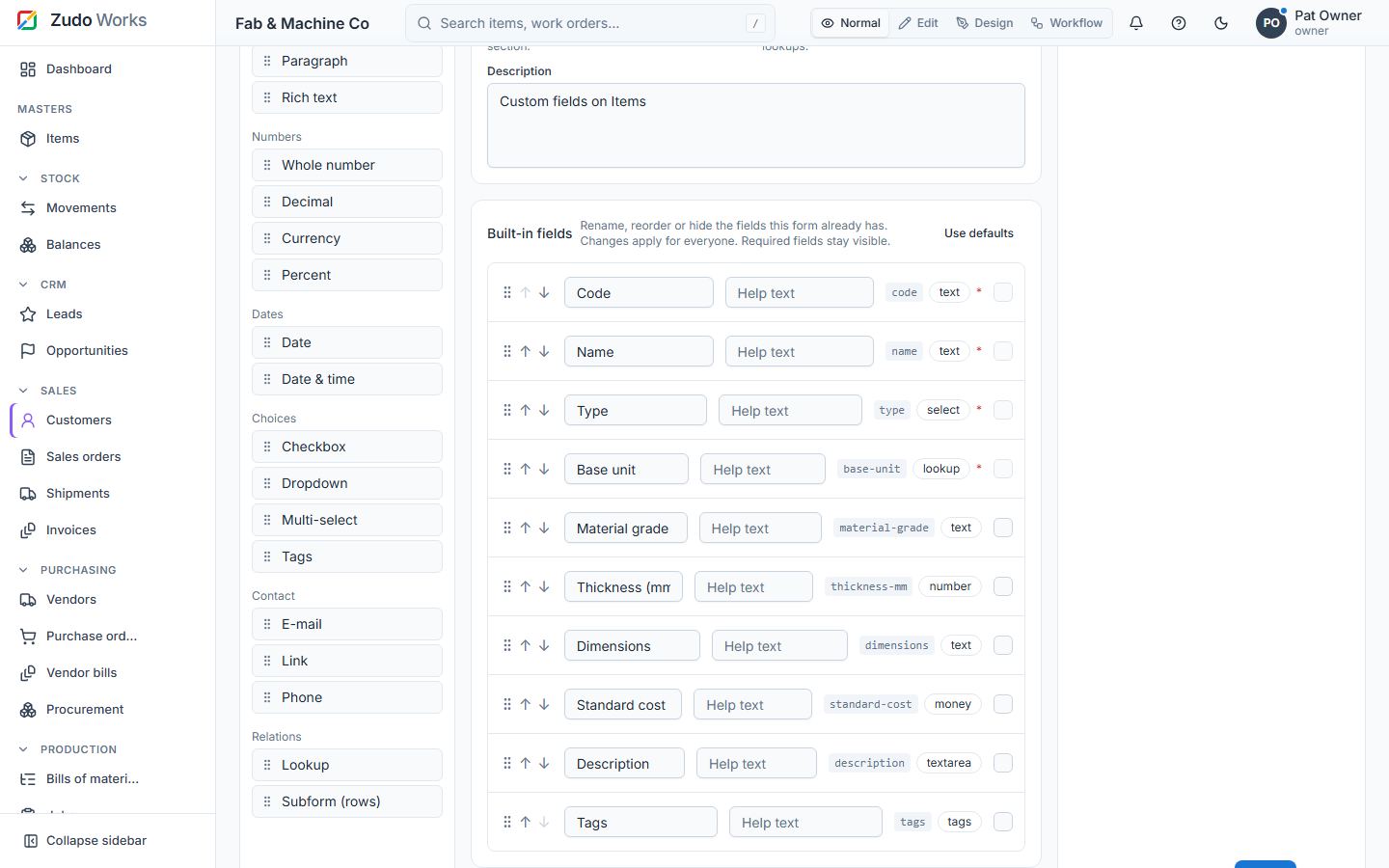
Open the builder of a built-in form (Items, Customers, Vendors, Sales orders, Purchase orders, Jobs, Work centres) and the Built-in fields card lists its fields with their API names (standard-cost, customer-reference, …). Change a label, the order or the help text, or hide an optional field; the form and the table of that section follow the override everywhere. Required fields cannot be hidden. The overrides live in the UI configuration (PATCH /api/v1/ui-config → fields.<module>.<field>).
Last updated