 Zudo Works
How to add a unit of measure
Units say how an item is counted (each, kilogram, metre, roll). Common units such as EA, KG, M, L and SHEET are already there.
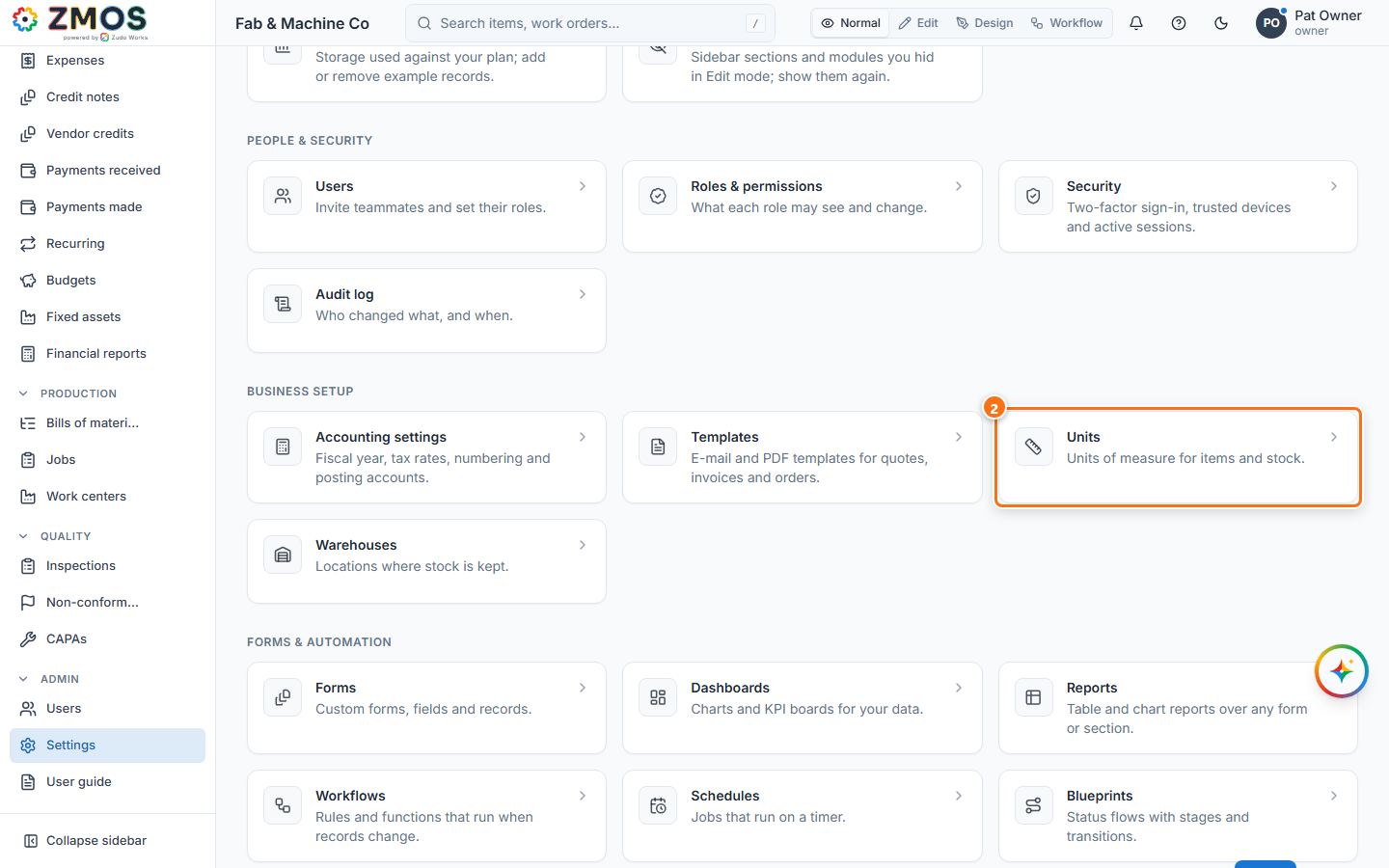
- In the sidebar, under Admin, click Settings.
- Under Business setup, click Units (
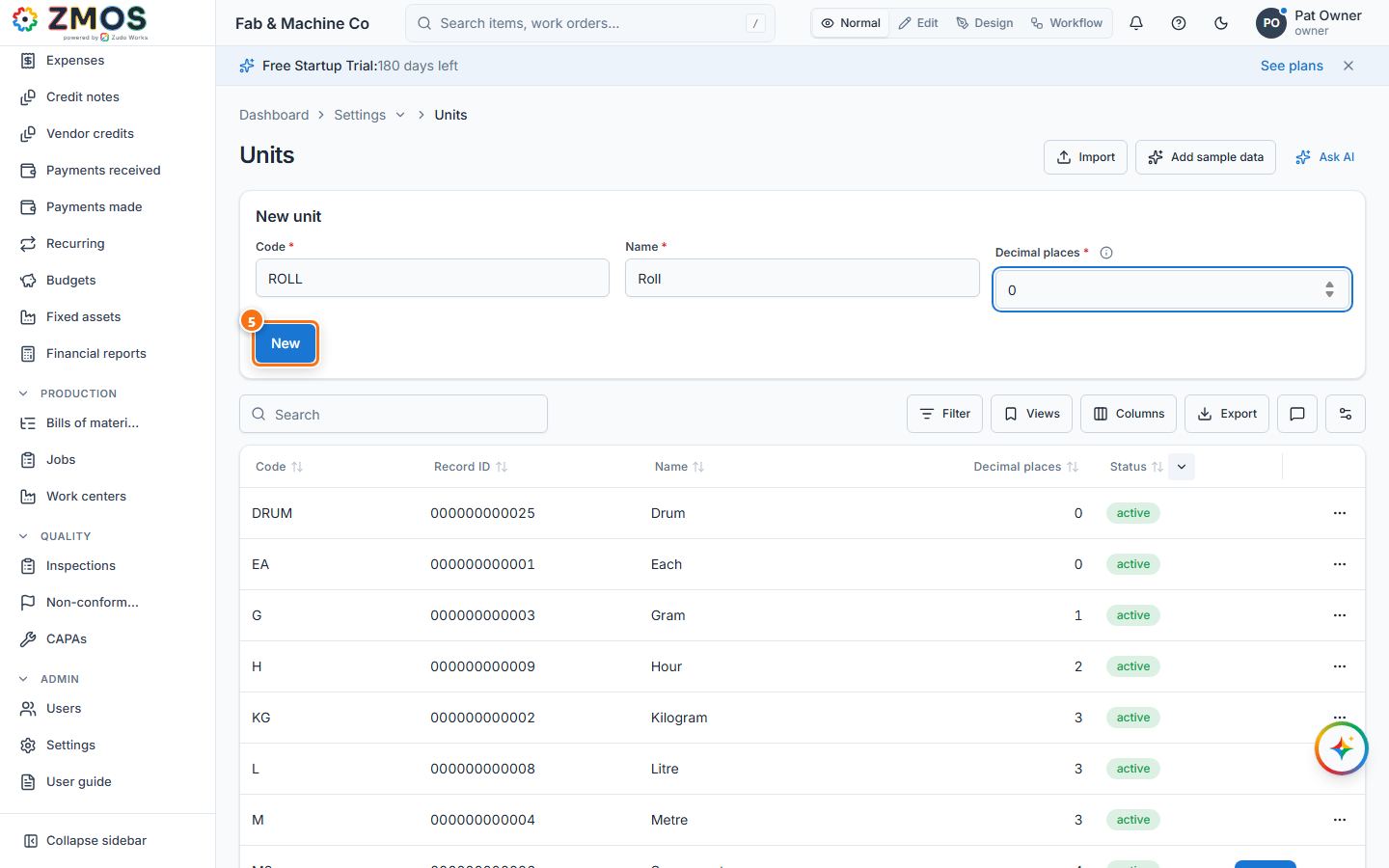
/uoms). - In the New unit card, type the Code (for example
ROLL) and the Name ("Roll"). - Set Decimal places: how many decimals a quantity in this unit may have —
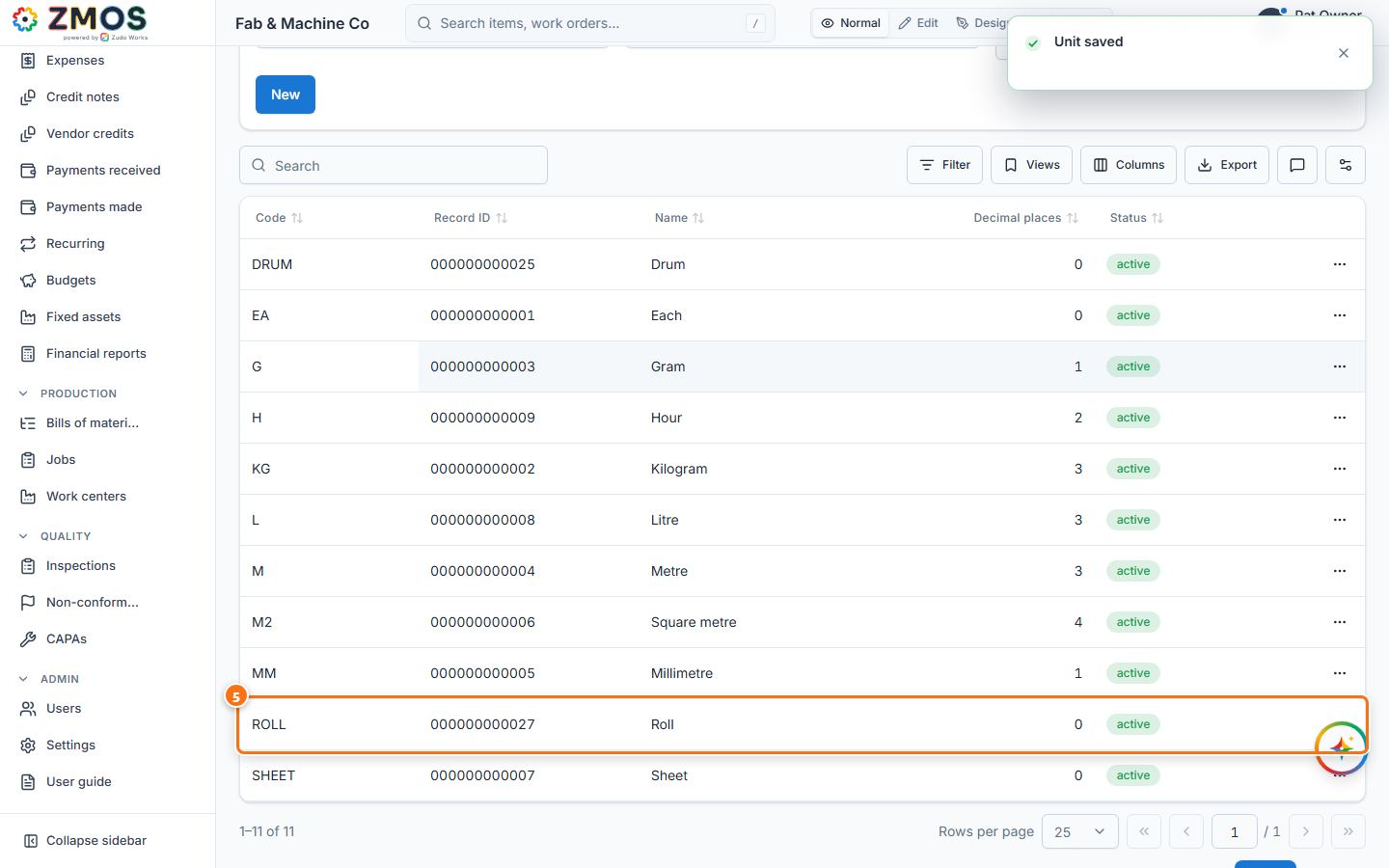
0for things you count whole,3for kilograms or metres. - Press Save. "Unit saved" appears and the unit is listed in the table below.
Tip: a code is unique in any case — "Ea" is refused when "EA" exists.
Last updated