 Zudo Works
How to add a warehouse
A warehouse is any place you keep stock (a store room, the shop floor, a yard); every receipt, issue and transfer names one.
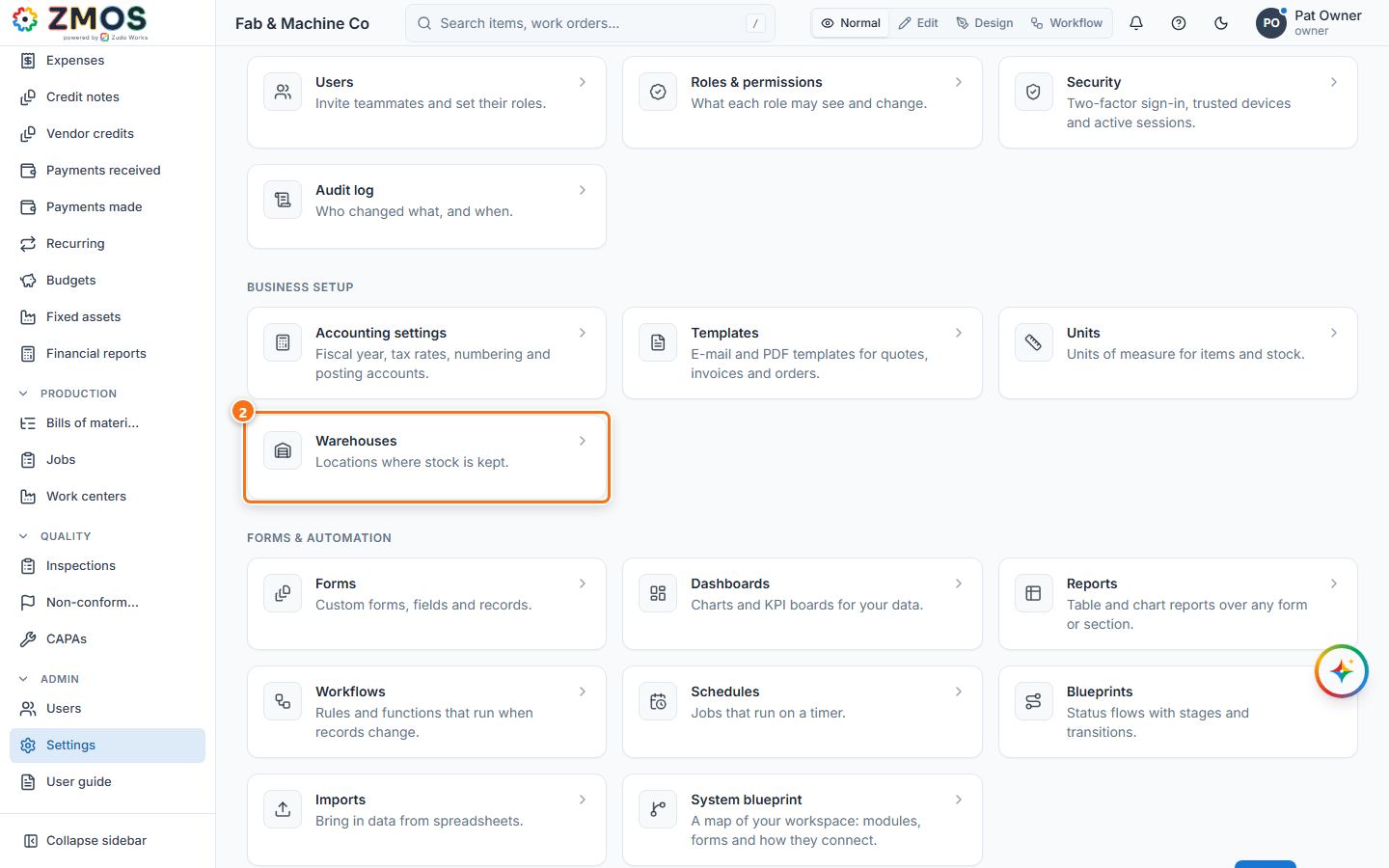
- In the sidebar, under Admin, click Settings.
- Under Business setup, click Warehouses (
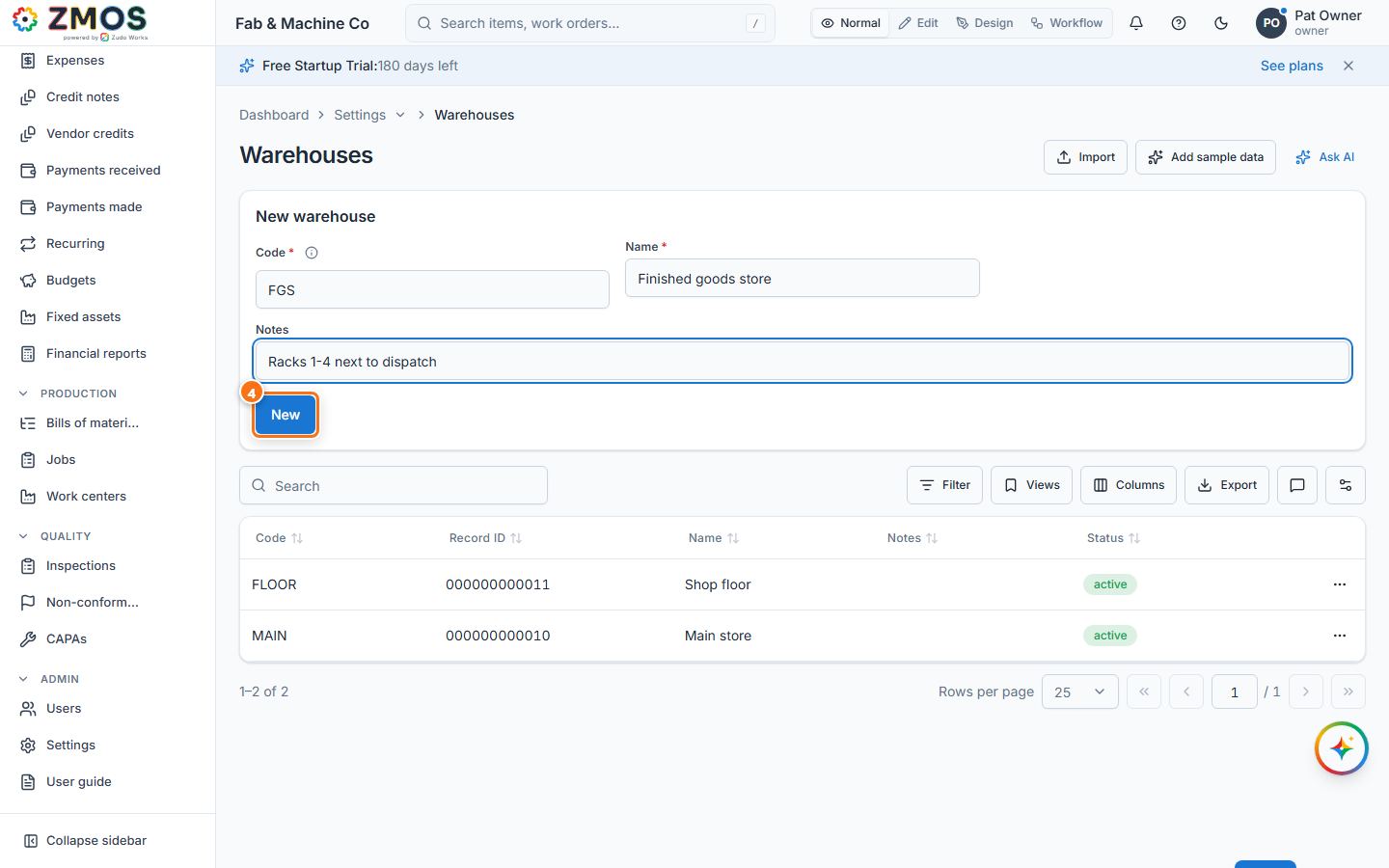
/warehouses). - In the New warehouse card at the top of the page, type a short Code (for example
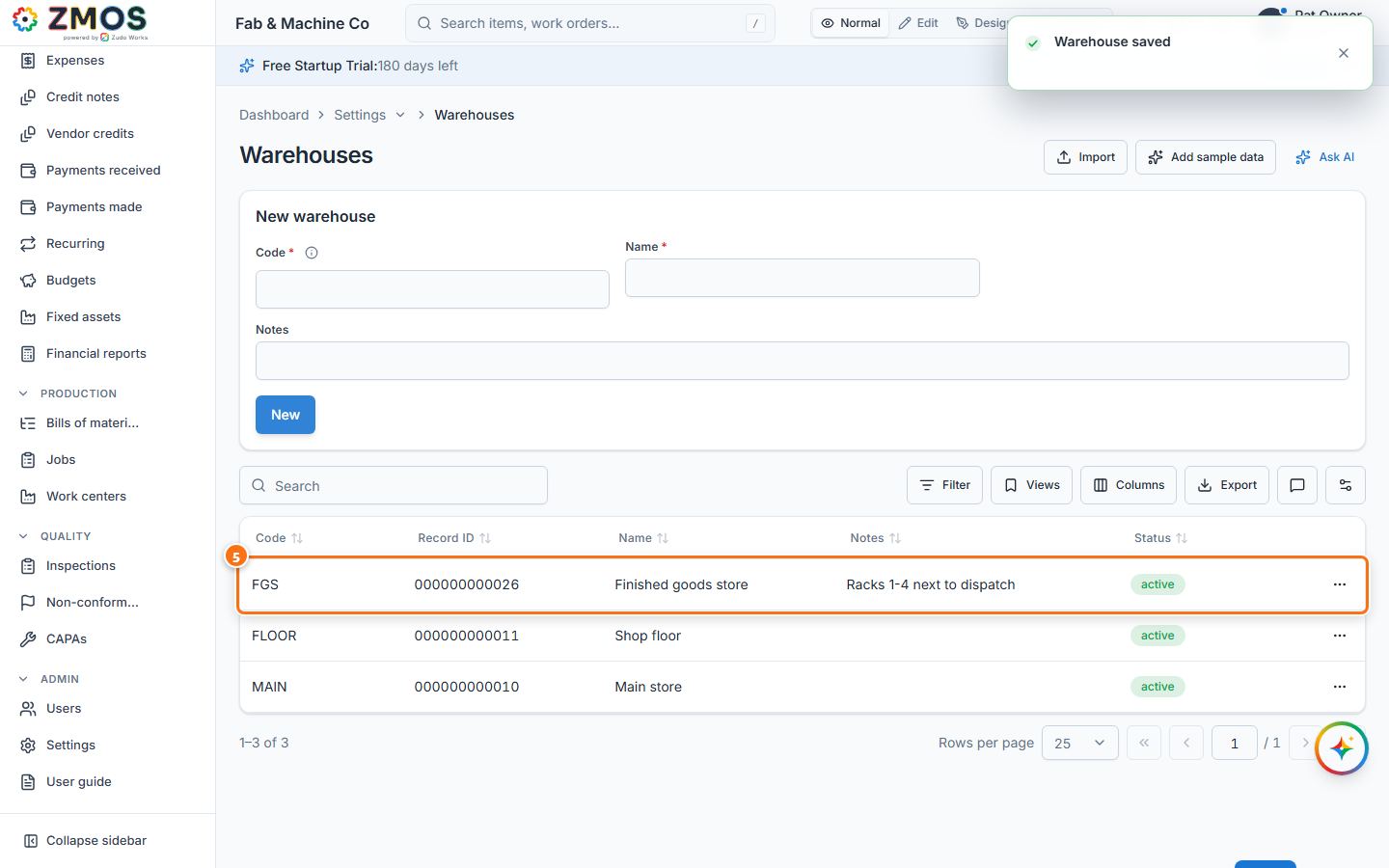
FGS) and a Name (for example "Finished goods store"). Notes is optional. - Press Save. The message "Warehouse saved" appears.
- The warehouse is now listed in the table under the form. To change or retire it later, open the row's menu (⋯) and choose Edit or Deactivate.
Tip: the code is what you pick in the From warehouse / To warehouse lists of a movement, so keep it short and recognisable.
Last updated