 Zudo Works
How to add an item
Items are everything you buy, stock or make: raw material, purchased parts, manufactured parts and consumables.
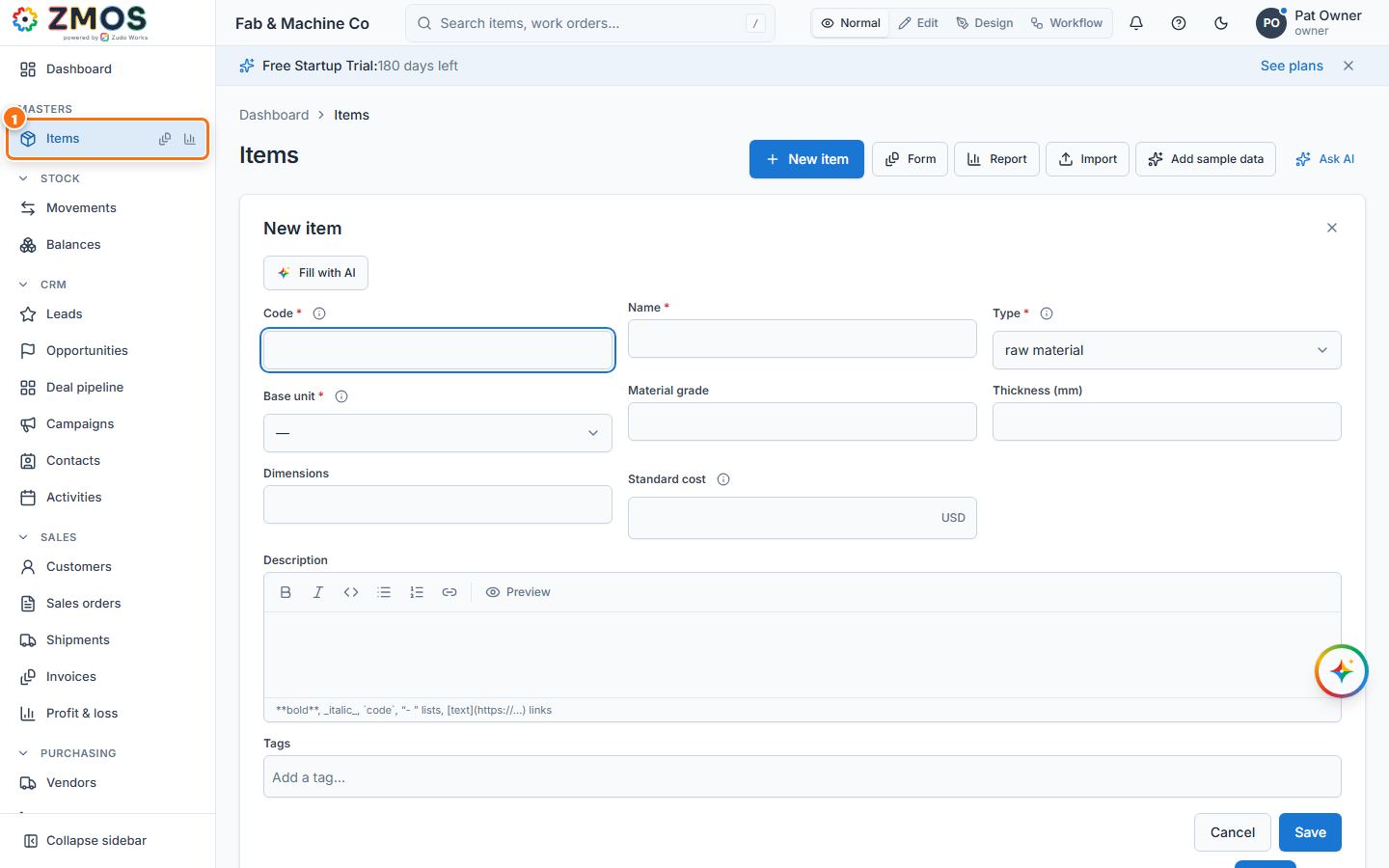
- In the sidebar, under Masters, click Items. The New item form opens as the page.
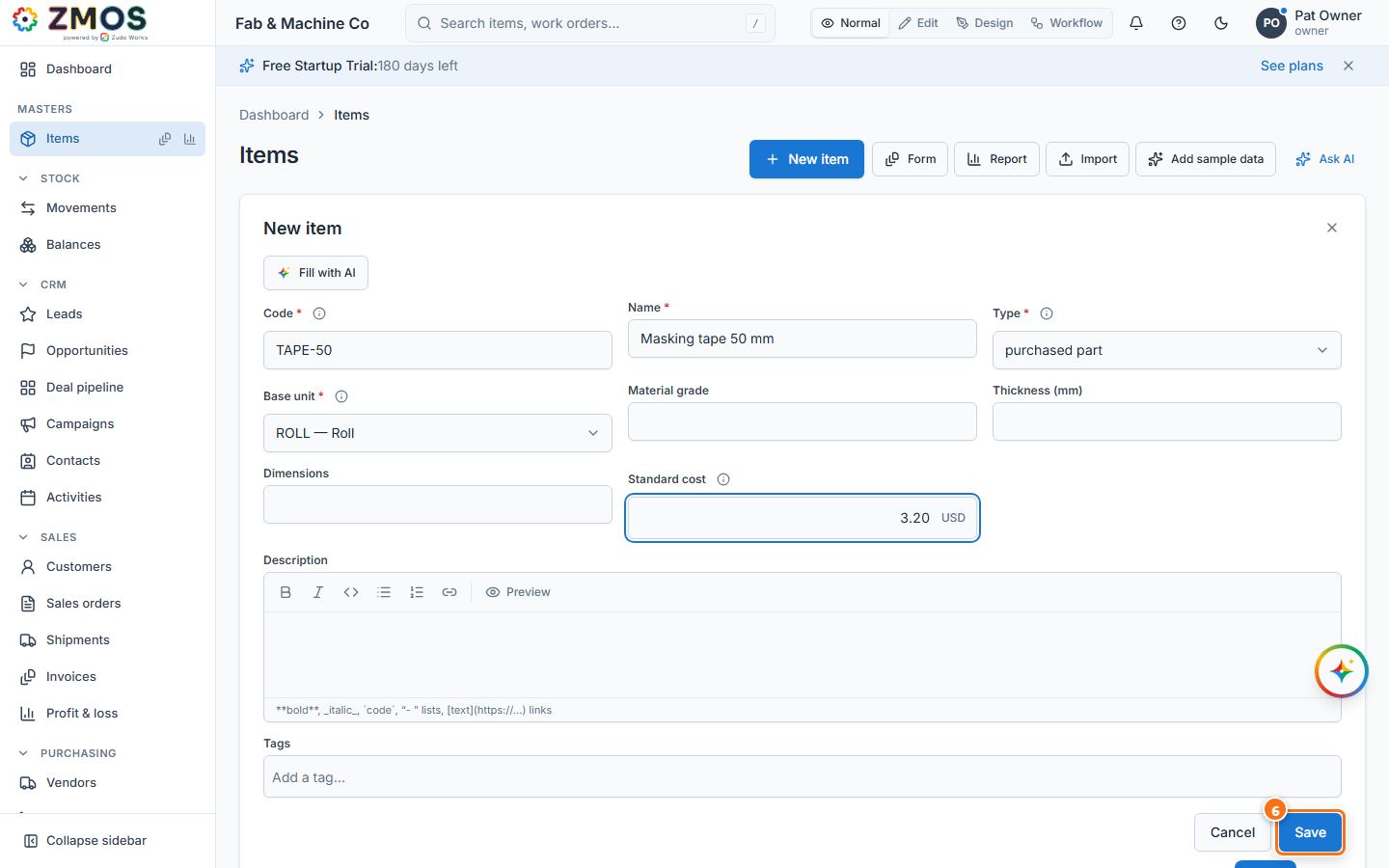
- Type a unique Code (for example
TAPE-50) and a Name ("Masking tape 50 mm"). - Choose the Type — raw material, purchased part, manufactured part or consumable. Only a Manufactured part can have a bill of materials and a job.
- Choose the Base unit — the unit stock of this item is counted in (for example "ROLL — Roll").
- Fill in what else you know: Material grade, Thickness (mm), Dimensions, Standard cost, Description, Tags.
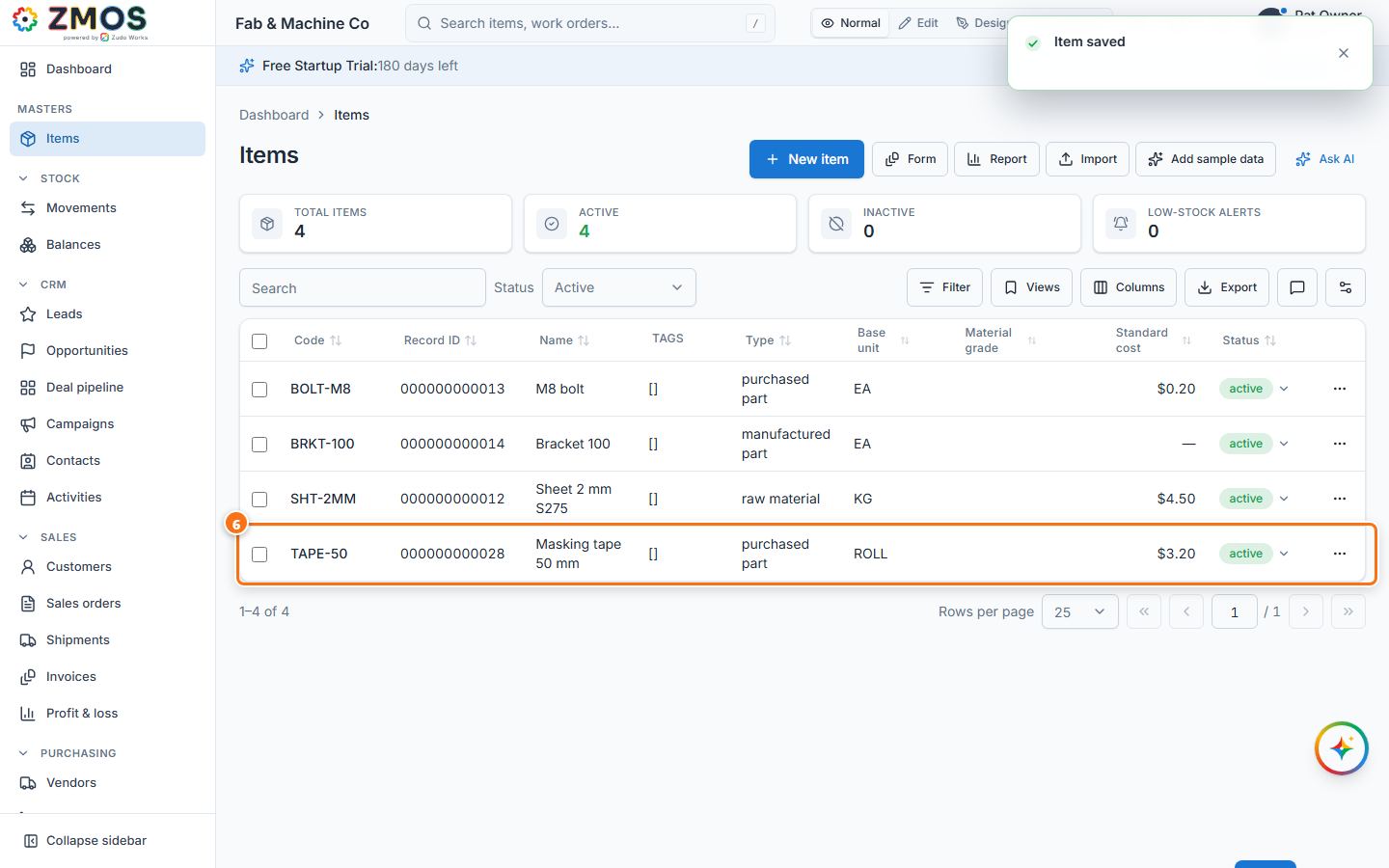
- Press Save. "Item saved" appears, the form closes and the Items list shows the new item. Click its row to see the details; click its code for its stock history.
Tip: to get back to the list without saving, close the form with × (top right) — or hover Items in the sidebar and press its Report icon.
Last updated