 Zudo Works
How to call a report from the API with an API key
Read the rows of any report from a script, a spreadsheet or another system — the report decides the columns, filters and order.
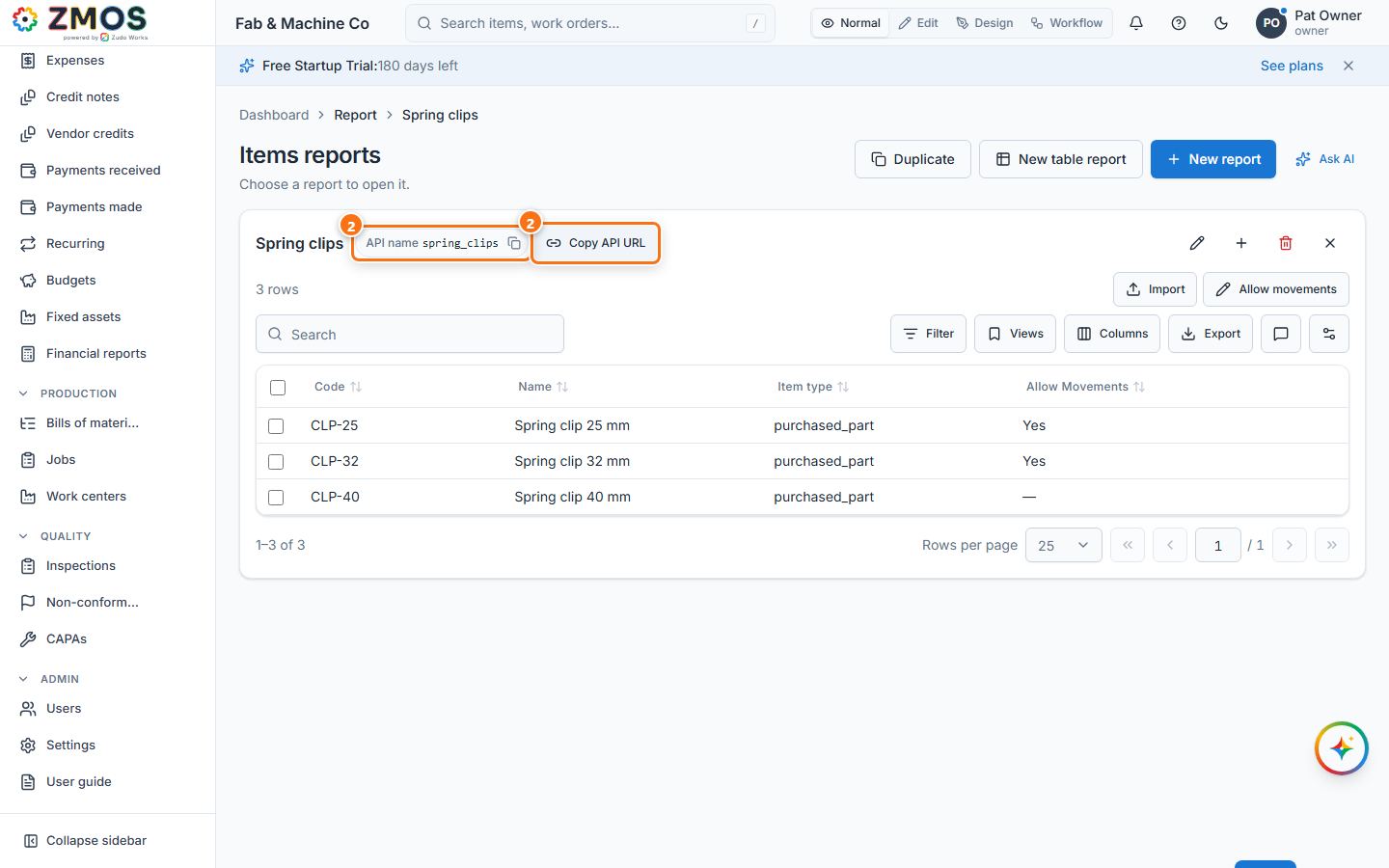
- Open the report — for example Settings → Reports, then click Spring clips.
- Next to the report's title you see its API name (
spring_clips; the small copy button copies it) and Copy API URL. Press Copy API URL: "API URL copied" — the address of the report's rows,https://<your Zudo Works address>/api/v1/reports/by-name/spring_clips/rows, is on your clipboard. - Make an API key that may read it: Settings → API keys & webhooks → New key (see "How to create an API key and a webhook") with the scopes dashboards.read and the read permission of the report's data — masters.read for Items (forms.read for a custom form, sales.read for orders …). Copy the
zk_…key. - Call the URL with the key as a Bearer token:
curl -H "Authorization: Bearer zk_…" "https://<your Zudo Works address>/api/v1/reports/by-name/spring_clips/rows?limit=100&offset=0"The answer lists report (id, name, api_name, module), columns (name, label, type), rows (the report's columns plus id), total, limit and offset. Add sort and dir (asc / desc) or filters (a JSON list of { "field", "op", "value" }) to the address to narrow it further. A call without a key is refused (401).
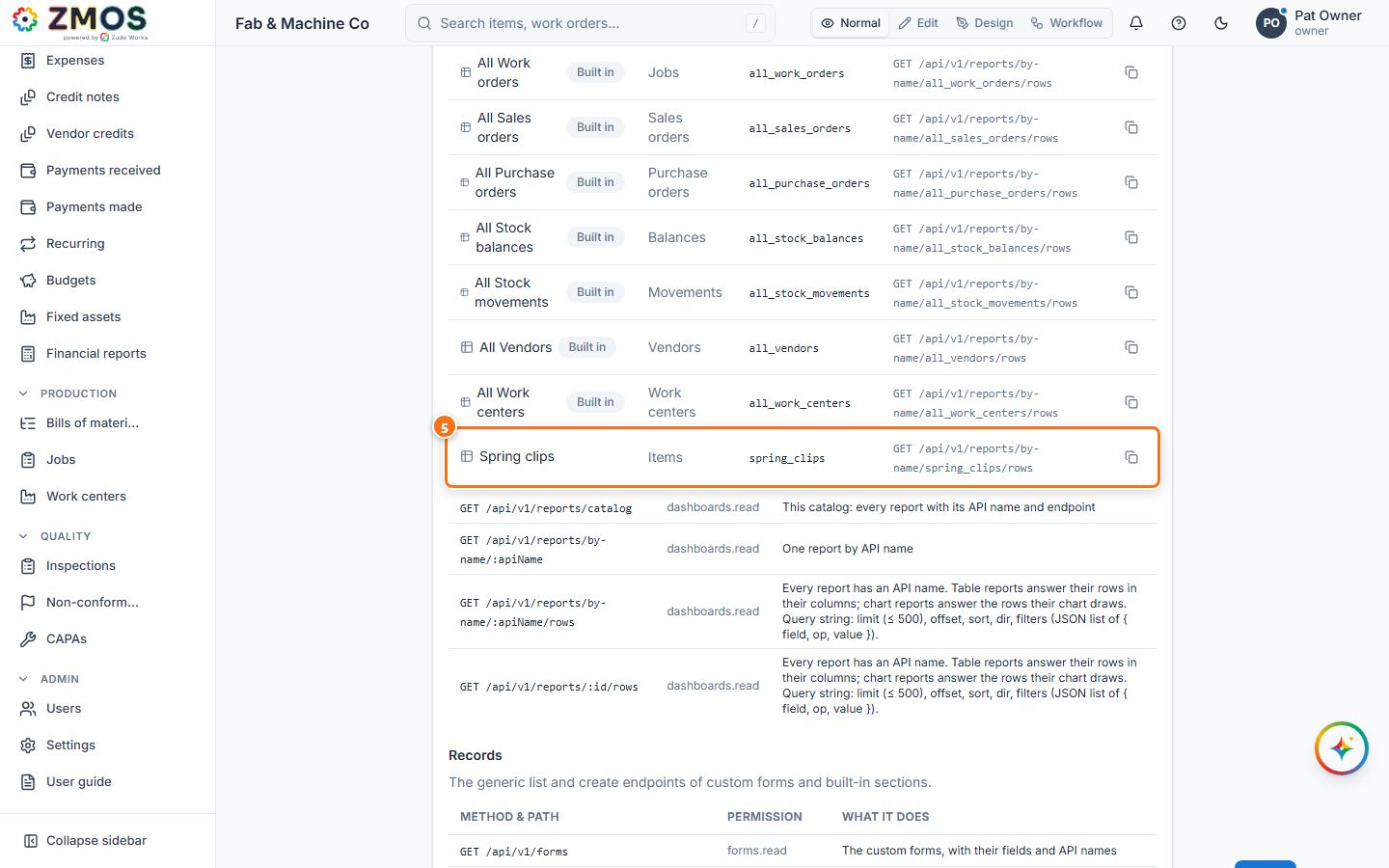
- To see every report you can call: Settings → API keys & webhooks, scroll to the API reference card. How to call shows a ready curl line; the Reports table lists each report with its Source, API name and Endpoint (copy button at the right); Records lists the endpoints that list and add records.
Tip: the API name stays the same when you rename the report, so scripts keep working. To change it, edit the report (pencil) and use API name or Regenerate from name. The built-in lists have names starting withall_(all_items,all_customers…).
Last updated