 Zudo Works
How to mention a colleague in a value
Draw a colleague's attention to a record by writing @ and their name in a text field — they get a notification that opens the record.
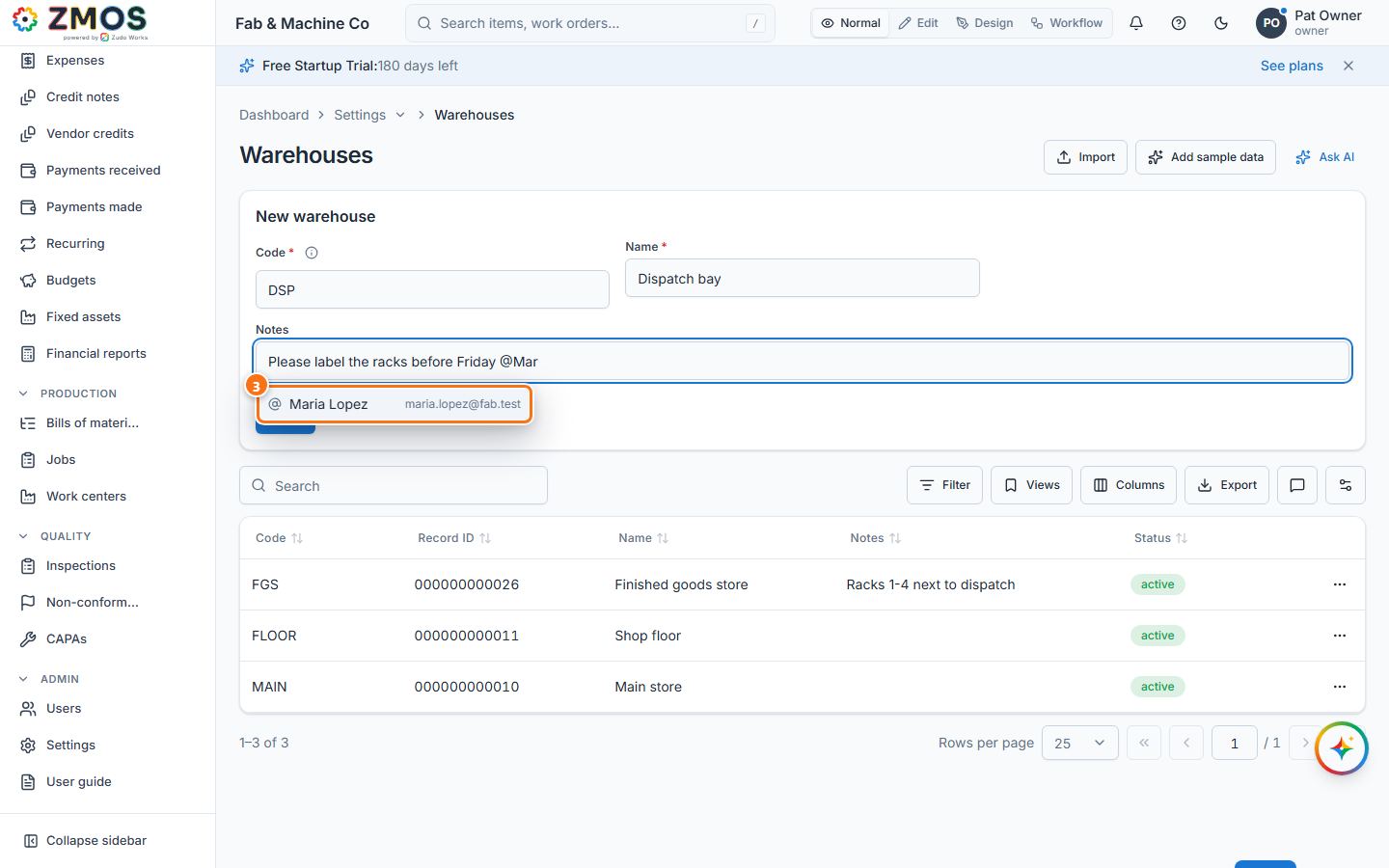
- Open a form with a text field — for example Settings → Warehouses, and fill in the New warehouse card (Code
DSP, Name "Dispatch bay"). Mentions work in notes and other text fields: warehouse Notes, item Description, customer and vendor addresses, sales and purchase order notes, job notes and operations, Text and Paragraph fields of your own forms, and cell comments. - Type your text in the field (Notes: "Please label the racks before Friday").
- Type @ and the first letters of the name ("@Mar"). A list of matching colleagues, with their e-mail addresses, opens under the field.
- Click the colleague — or move with ↑ / ↓ and press Enter; Esc closes the list. The full name is written into the text ("@Maria Lopez").
- Save the record as usual (here Save on the warehouse card; "Warehouse saved").
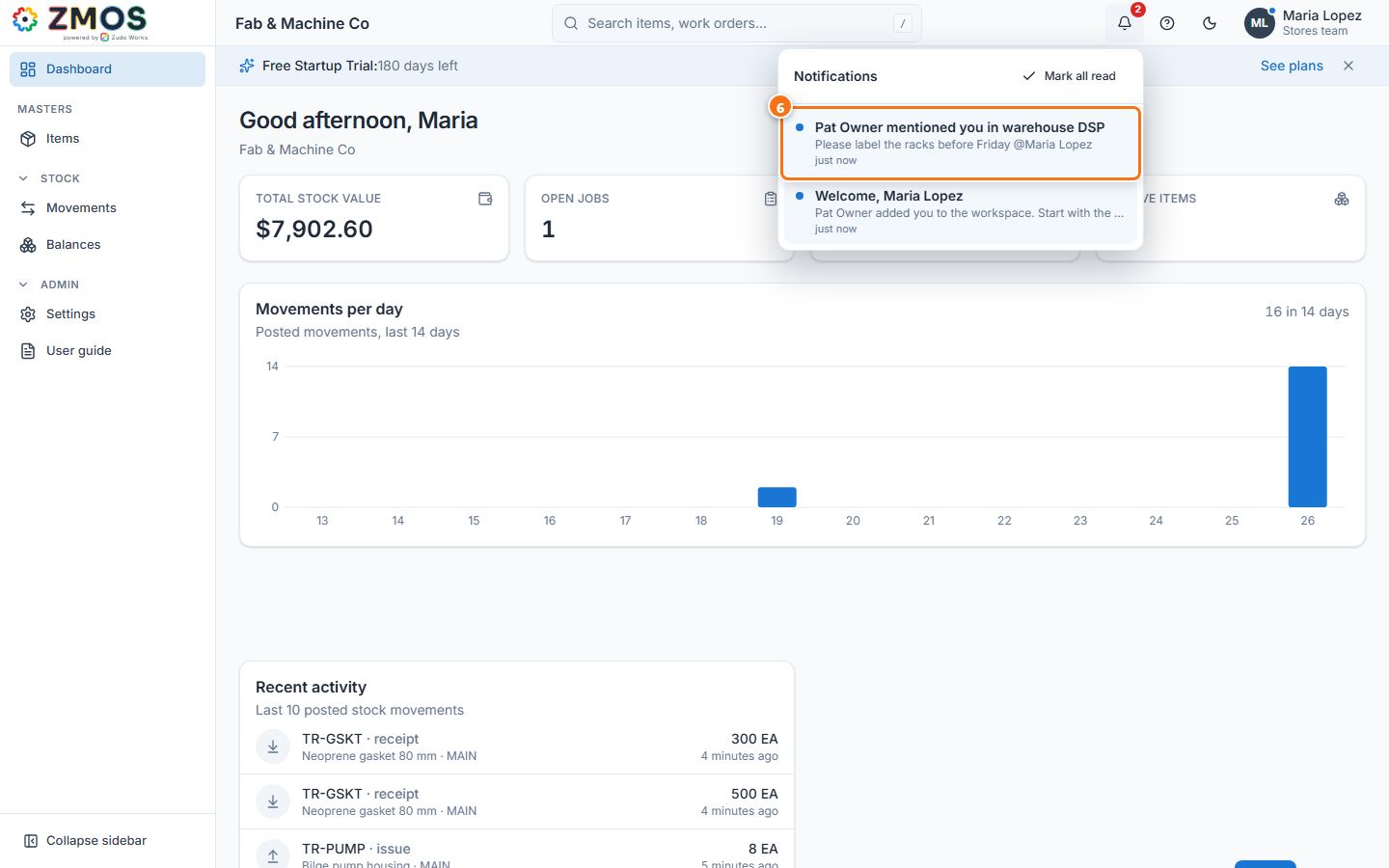
- Your colleague's bell (top bar) shows "Pat Owner mentioned you in warehouse DSP" with the text. Clicking it opens the warehouse list with that row selected.
Tip: only people who are newly mentioned are notified (saving the record again does not repeat it), and nobody is notified about mentioning themselves.
Last updated