 Zudo Works
How to limit what a picker offers and create a record from it
Make a picker offer only the records that fit — for example only bought items on purchase orders — and create a missing record straight from the picker.
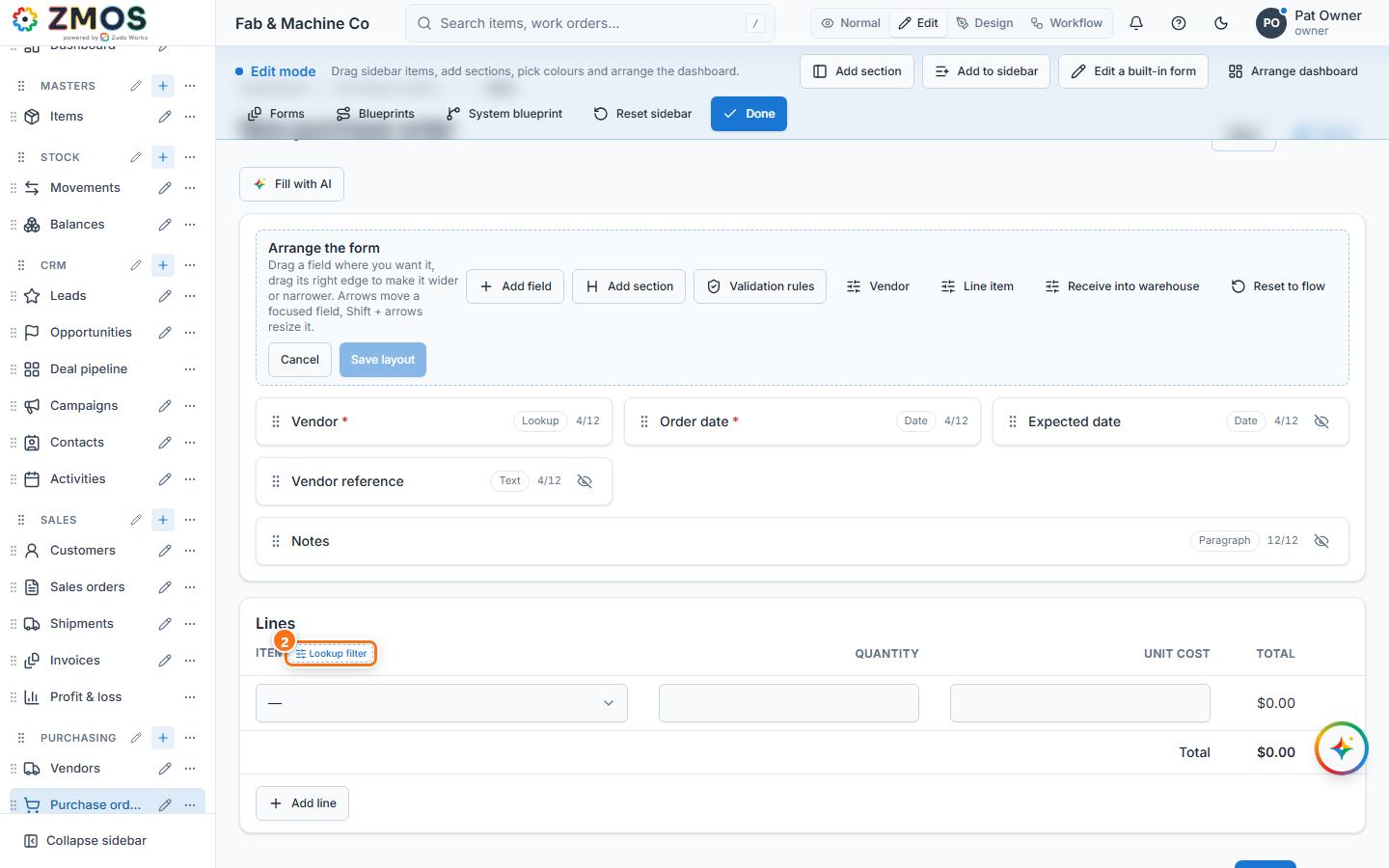
- Open the form with the picker — for example, in the sidebar under Purchasing, click Purchase orders. New purchase order opens.
- Switch the top bar to Edit. A dashed Lookup filter button appears beside the pickers — here beside Item in the Lines card. Press it.
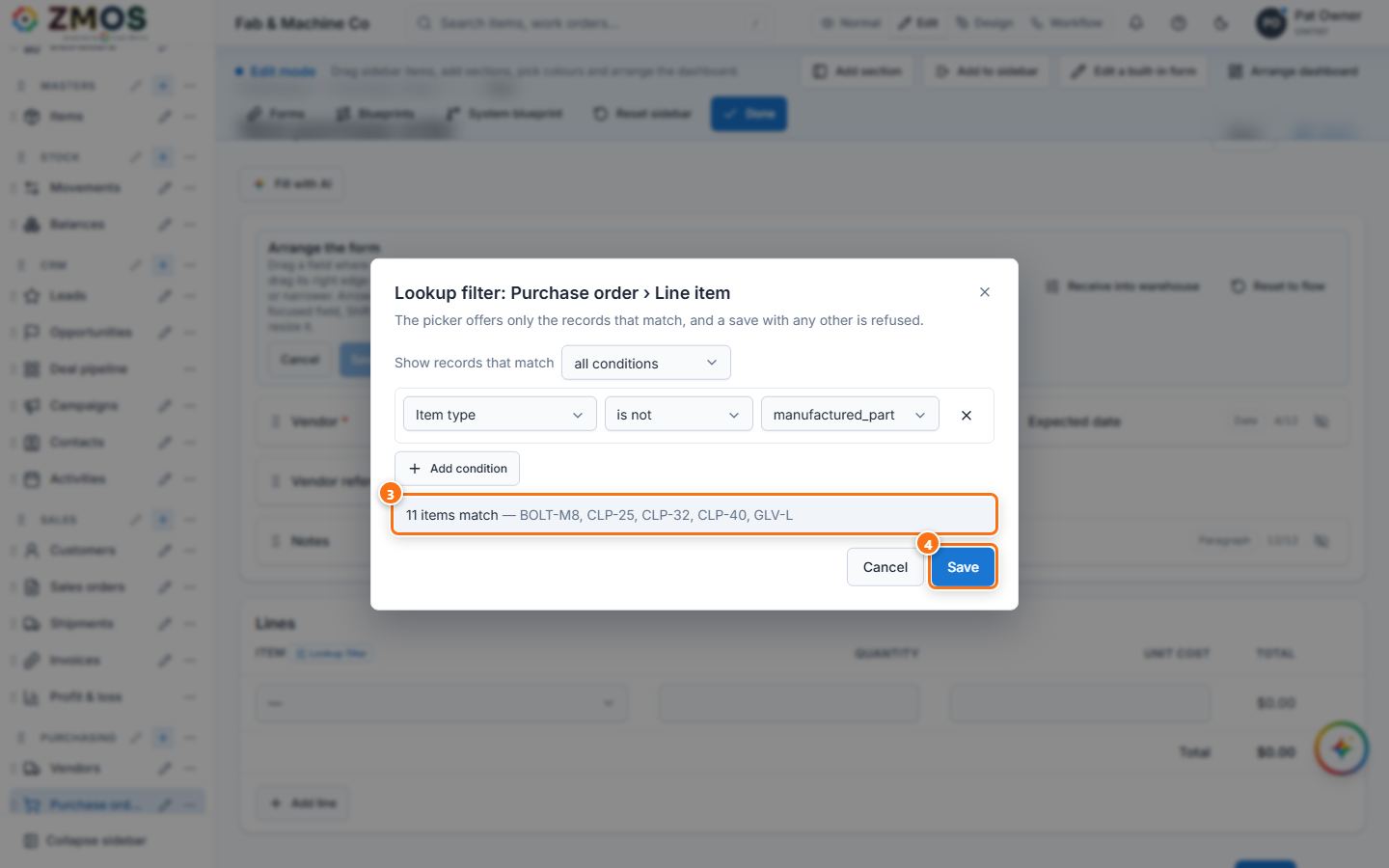
- In Lookup filter: Purchase order › Line item, press Add condition and choose the field (Item type), the condition (is not) and the value (manufactured_part). Add more conditions if needed and choose all conditions or any condition. The grey line counts the records that match as you edit ("5 items match — BOLT-M8, …").
- Press Save ("Lookup filter saved") and switch back to Normal.
- The column now shows a small Filtered mark (point at it to read the rule) and the picker offers only the matching items. A save with any other item — from another screen, an import or the API — is refused with a message naming the rule.
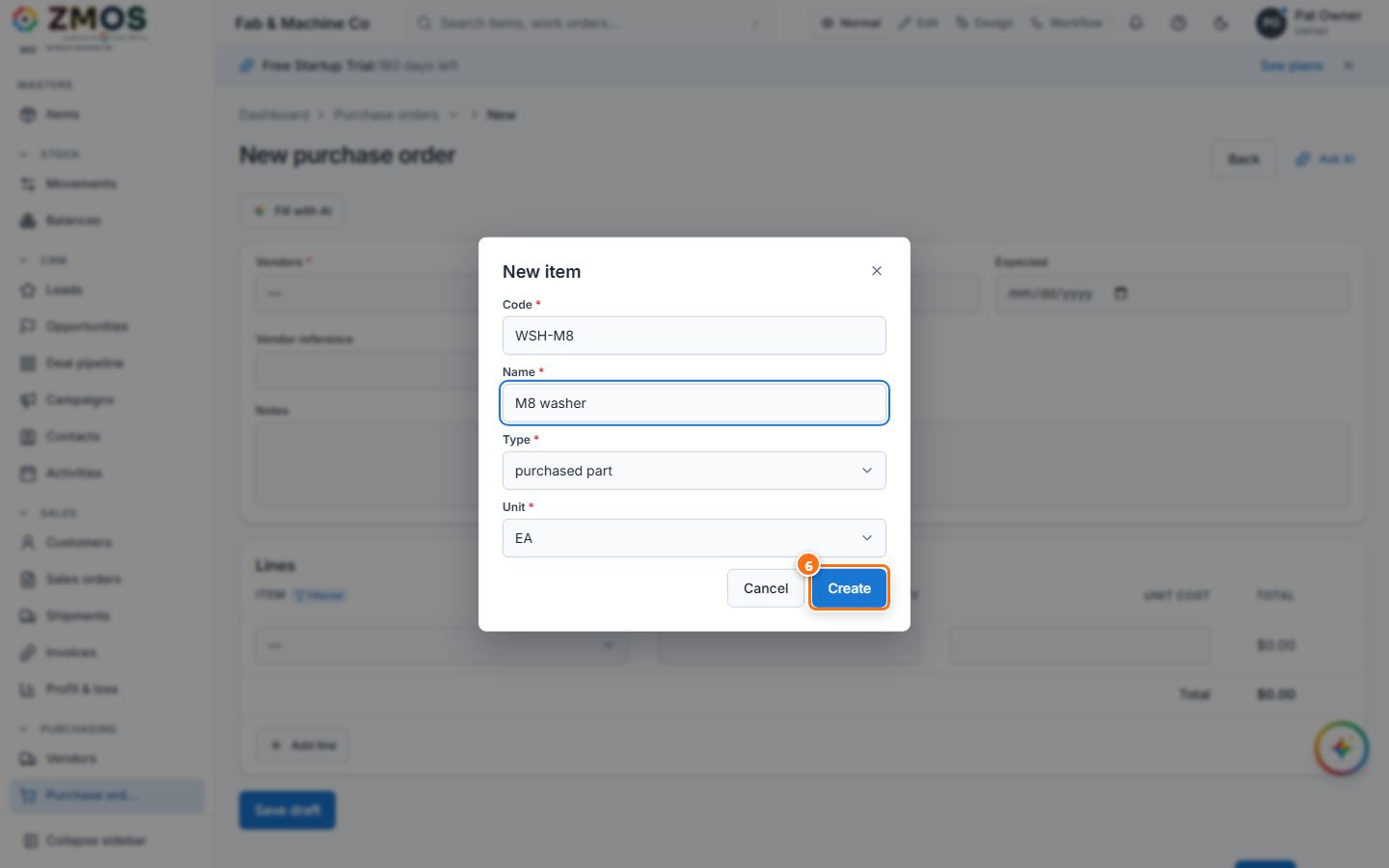
- To add a missing item without leaving the order, open the picker and choose + New item at the bottom. The New item dialog asks for Code, Name, Type and Unit; press Create. The item is created and selected in the line (if it does not match the filter, the dialog says so and leaves the line as it was).
Tip: every picker of a section is also listed in Edit mode under the pencil beside the sidebar entry → Edit “…” → Pickers on this form — use it for pickers at the top of a form (Vendor, Customer …), whose fields turn into designer cards in Edit mode. Remove filter in the editor offers every record again.
Last updated