 Zudo Works
How to comment on a cell
Leave a note on one value — or on a whole row — for your colleagues, and answer it in the same thread.
- Open the list or report, e.g. the records of Machine checks.
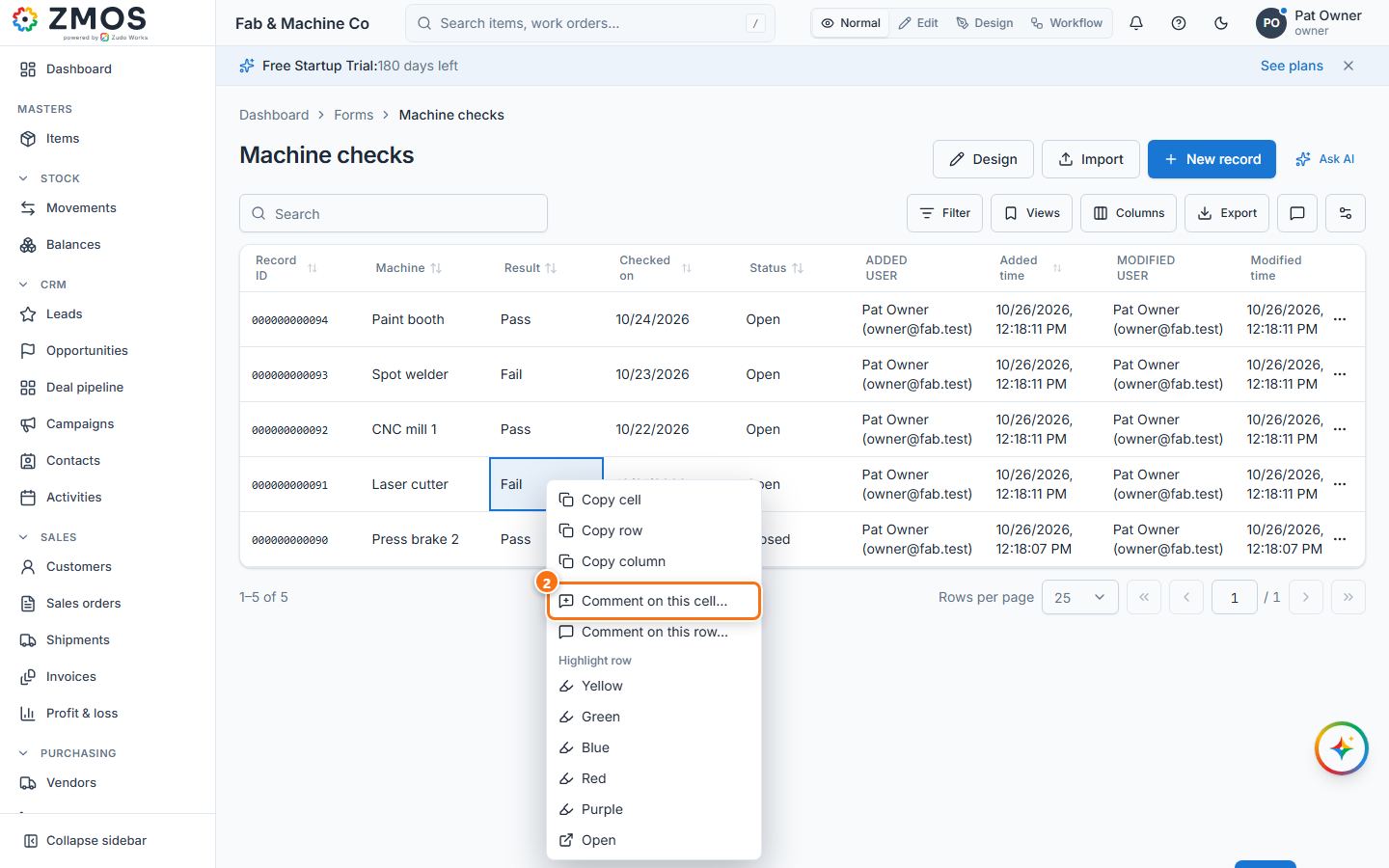
- Right-click the cell and choose Comment on this cell… (or Comment on this row…).
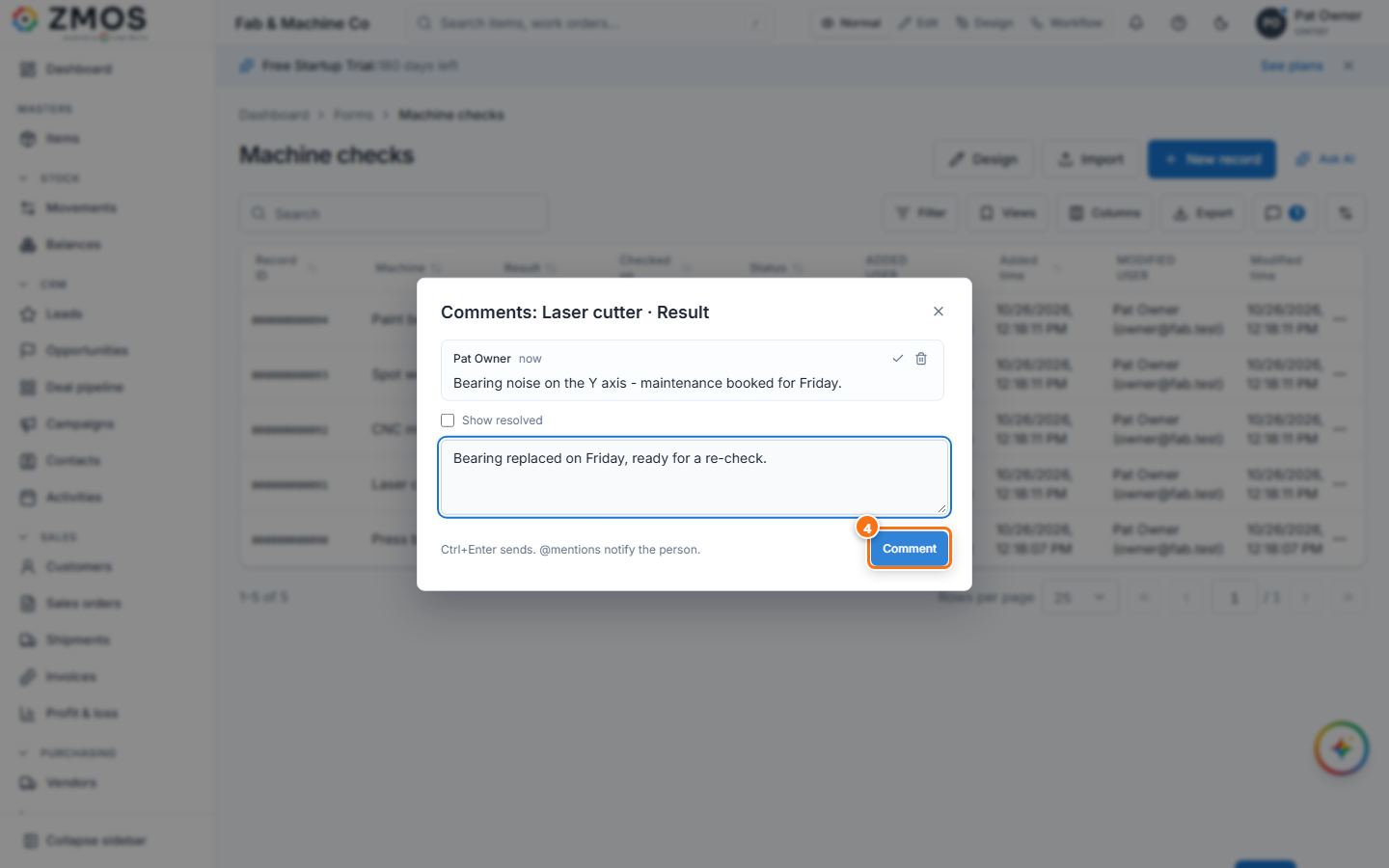
- Type the comment and press Comment (or Ctrl+Enter). Type @ to mention a colleague; they get a notification.
- To reply, right-click the cell again and choose Comment on this cell…: the thread opens with the earlier comments. Type your answer and press Comment. The tick on a comment (Resolve) closes it; Show resolved lists closed ones again.
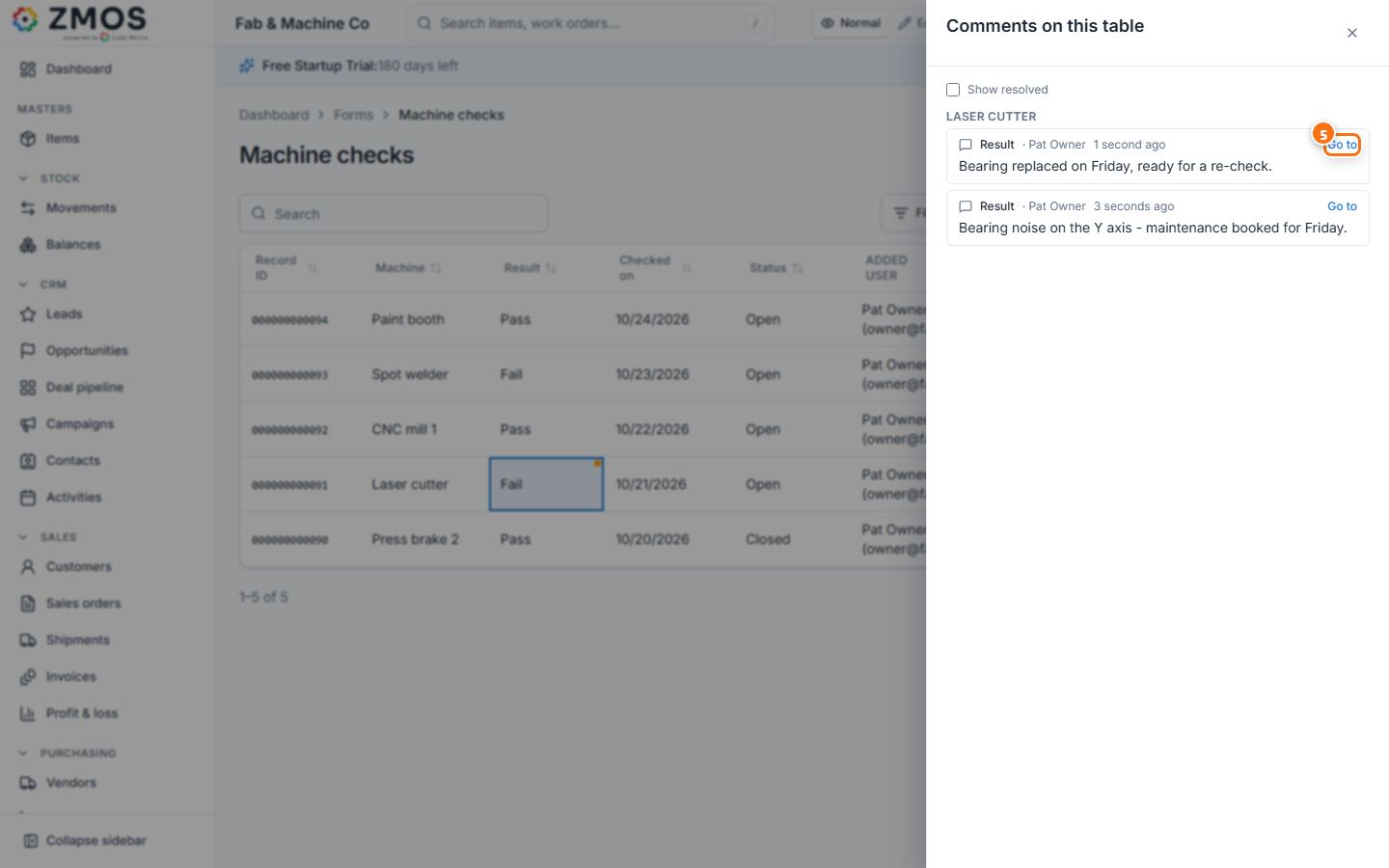
- To see every comment of the table, press the Comments button (the speech bubble with the number of open comments) in the toolbar, then Go to to jump to a comment's cell. A cell with comments shows a small dot.
Last updated