 Zudo Works
How to create a bill of materials (BOM) and release it
A BOM lists the components and quantities that go into one unit of a manufactured part; a job uses the released revision to plan its material.
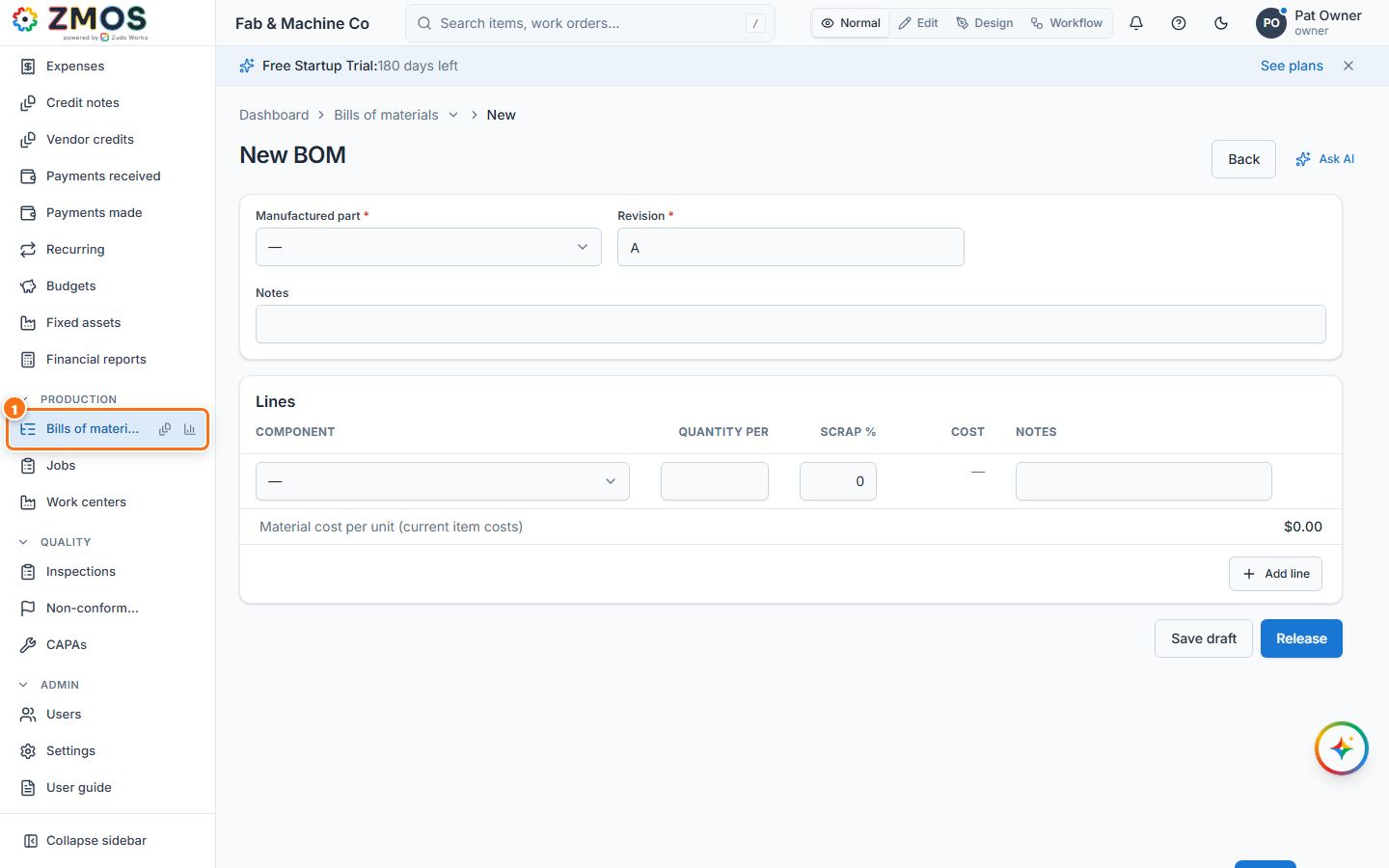
- In the sidebar, under Production, click Bills of materials. The New BOM form opens.
- Choose the Manufactured part (only items of type manufactured part are listed) and type the Revision (for example
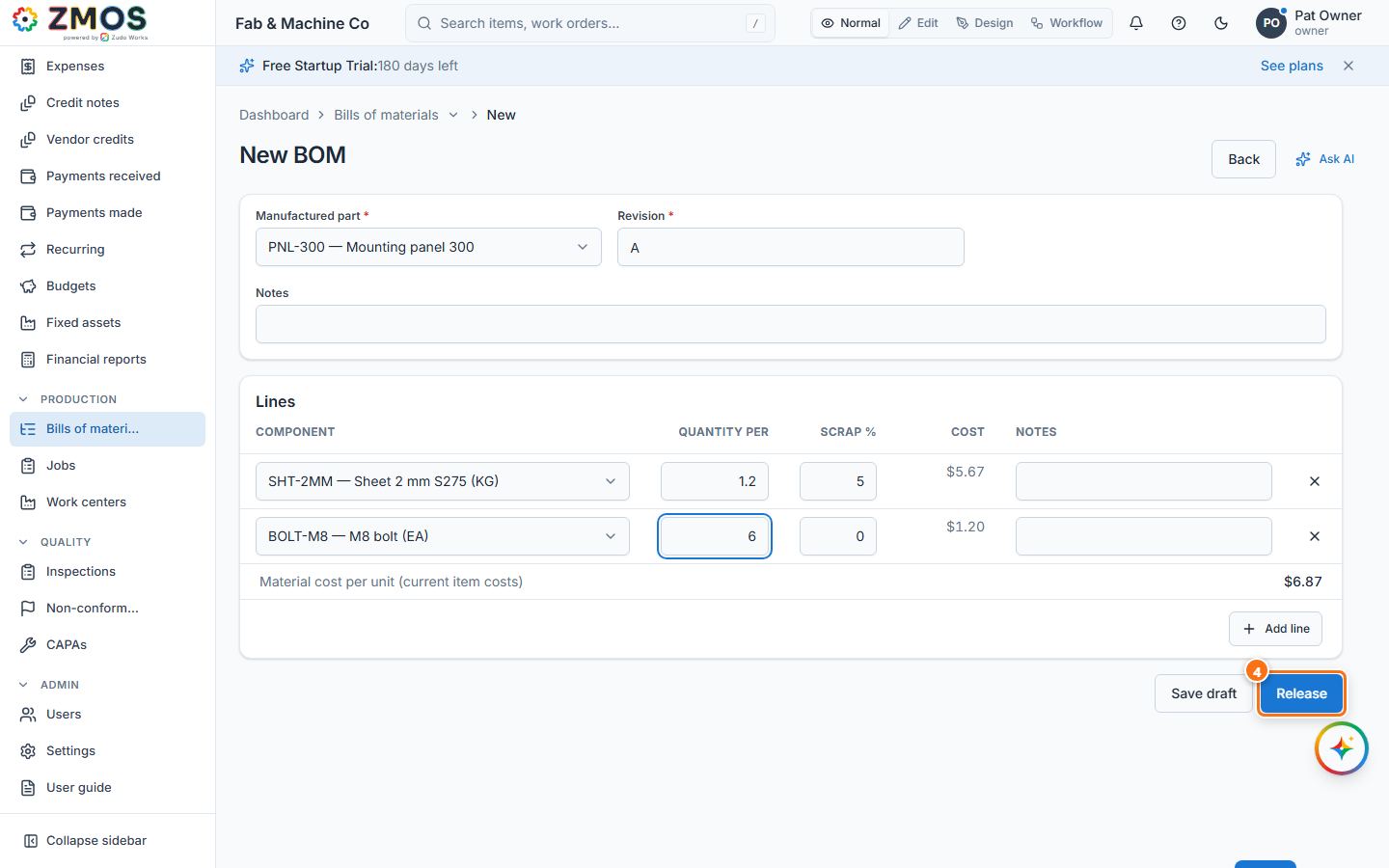
A). - Under Lines, choose the Component, the Quantity per (for one finished unit) and the Scrap % allowance. Cost and Material cost per unit show what the components cost at today's item costs. Press Add line for every further component.
- Press Release to make this revision the one jobs use, then Release again in Release this revision? — or Save draft to finish it later. A released BOM cannot be edited; a change needs a new revision.
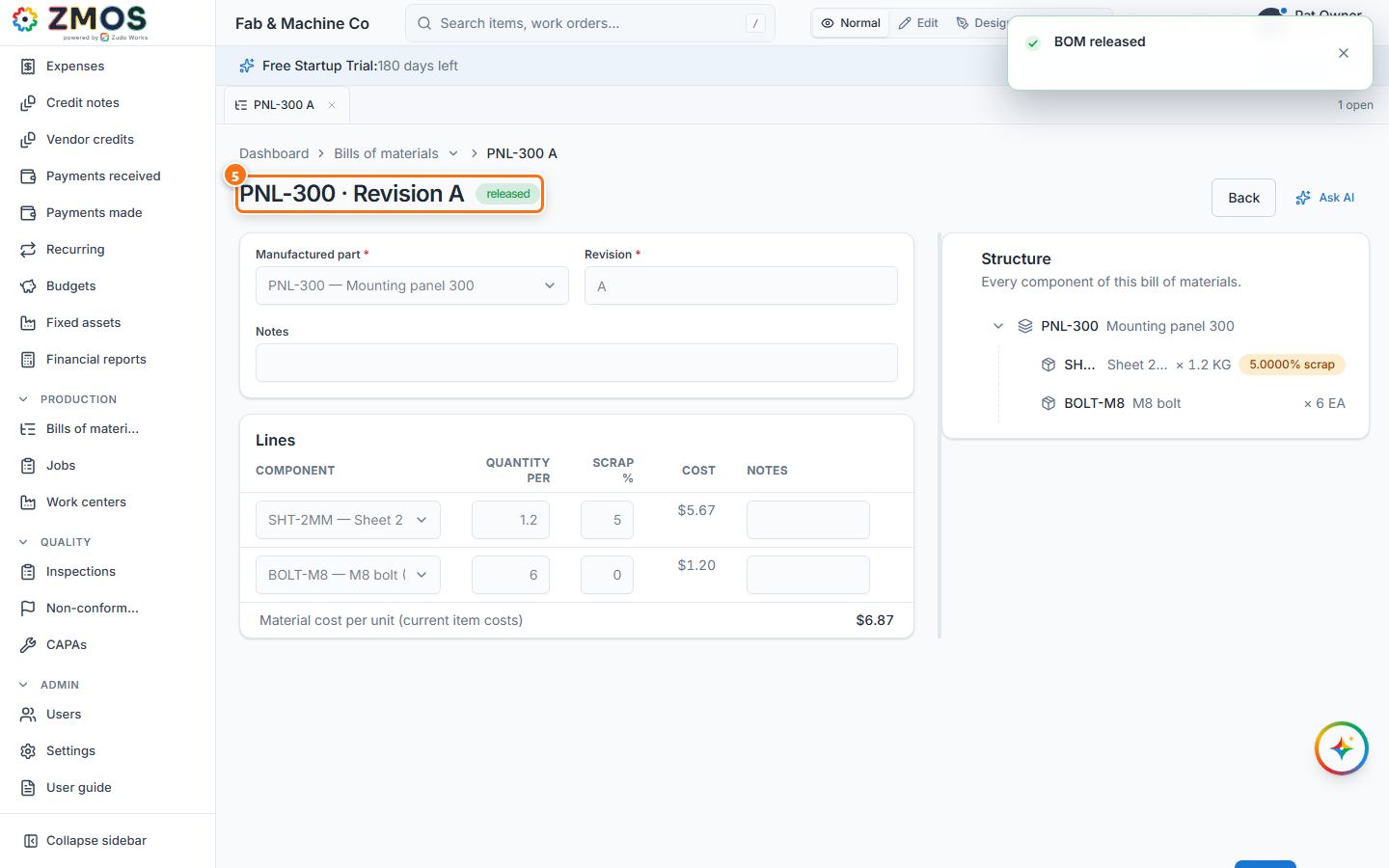
- The heading now shows the part and revision with Released, and the Structure tree appears beside the form.
Tip: Release happens at once, without a confirmation — check the lines first.
Last updated