 Zudo Works
How to create an API key and a webhook
Let another system read or write your data (API key), or be told automatically when work orders and orders change (webhook). Owners only.
- Open Settings in the sidebar and press API keys & webhooks.
- In the API keys card press New key.
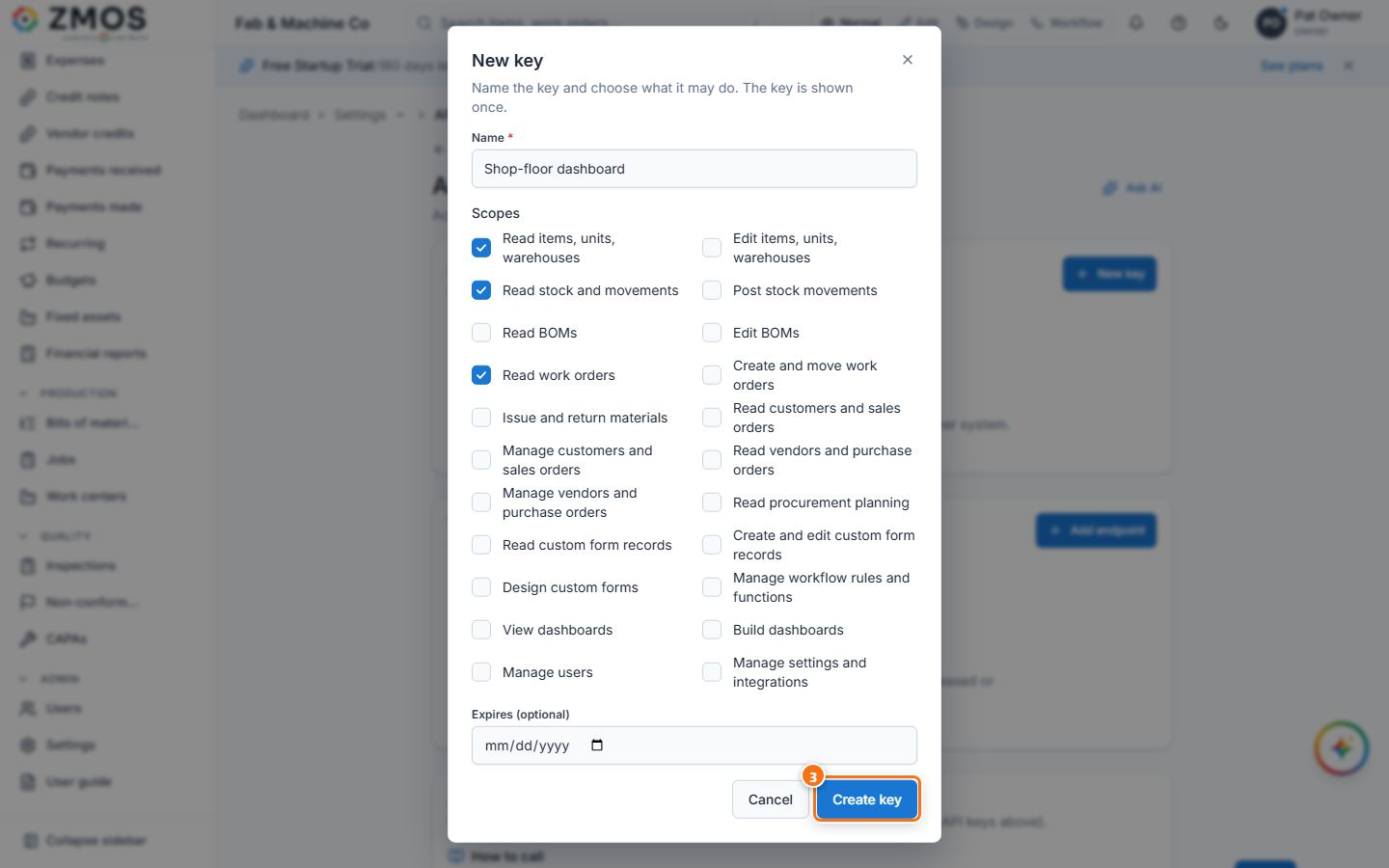
- Type a Name (for example Shop-floor dashboard), tick the Scopes the key may use (only what it needs), optionally set Expires (optional), and press Create key.
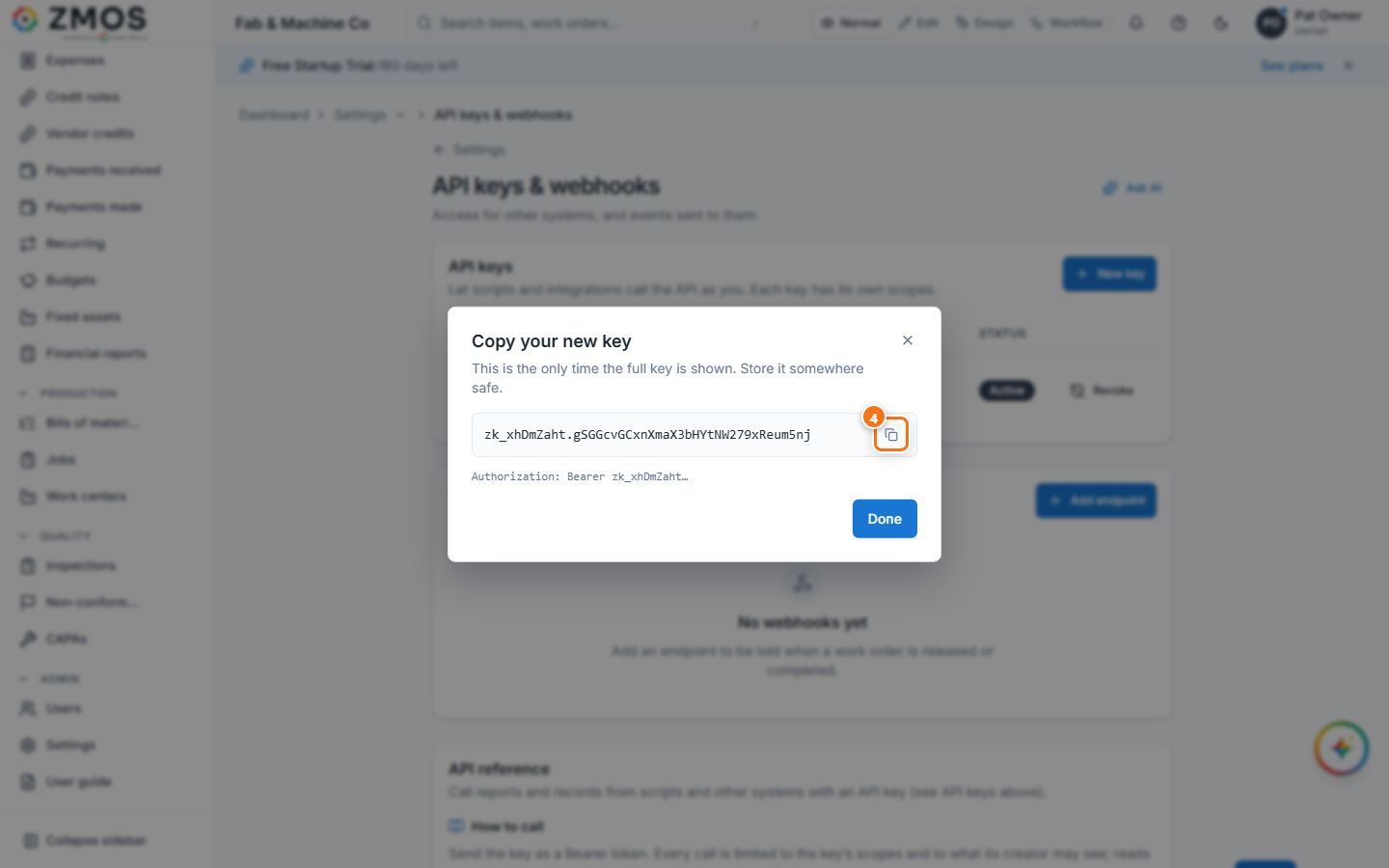
- Copy your new key: press the copy button and store the key somewhere safe — it is shown only this once. Press Done. The key is listed with its scopes, Last used and status; Revoke stops it at once.
- In the Webhooks card press Add endpoint.
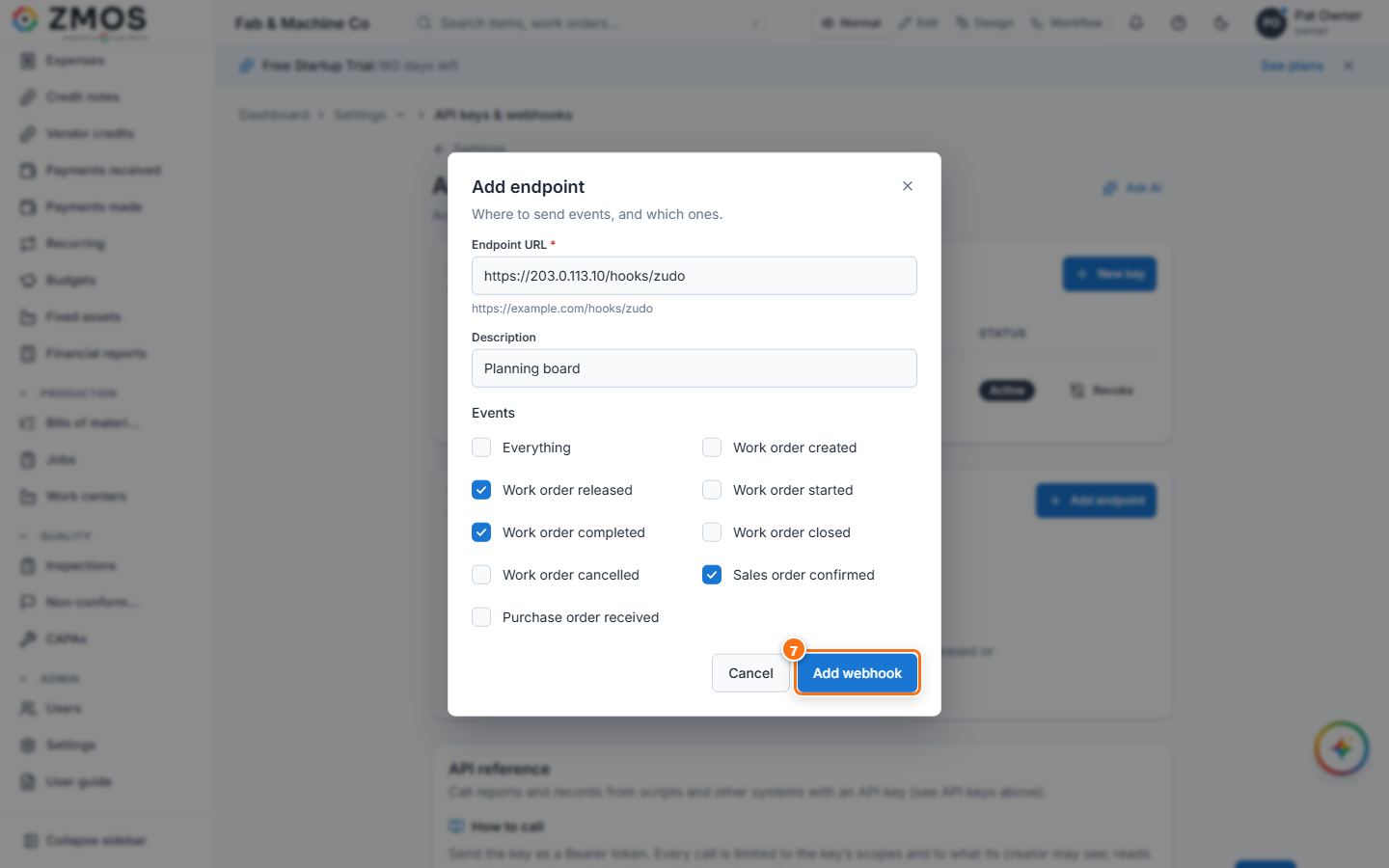
- Type the Endpoint URL of the receiving system (must start with
https://), an optional Description, and tick the Events to send (work order created, released, started, completed, closed, cancelled; sales order confirmed; purchase order received — or Everything). - Press Add webhook. Signing secret shows the
whsec_…secret once: copy it so the receiver can check theX-Zudo-Signatureheader, then press Done. - Use Send test to check the connection; Pause / Resume and Delete are on the same row.
Tip: the API reference card further down the page shows how to call the API with the key (Authorization: Bearer <key>).
Last updated