 Zudo Works
How to receive stock
A receipt puts stock into a warehouse — a supplier delivery, opening stock, or anything else that arrives.
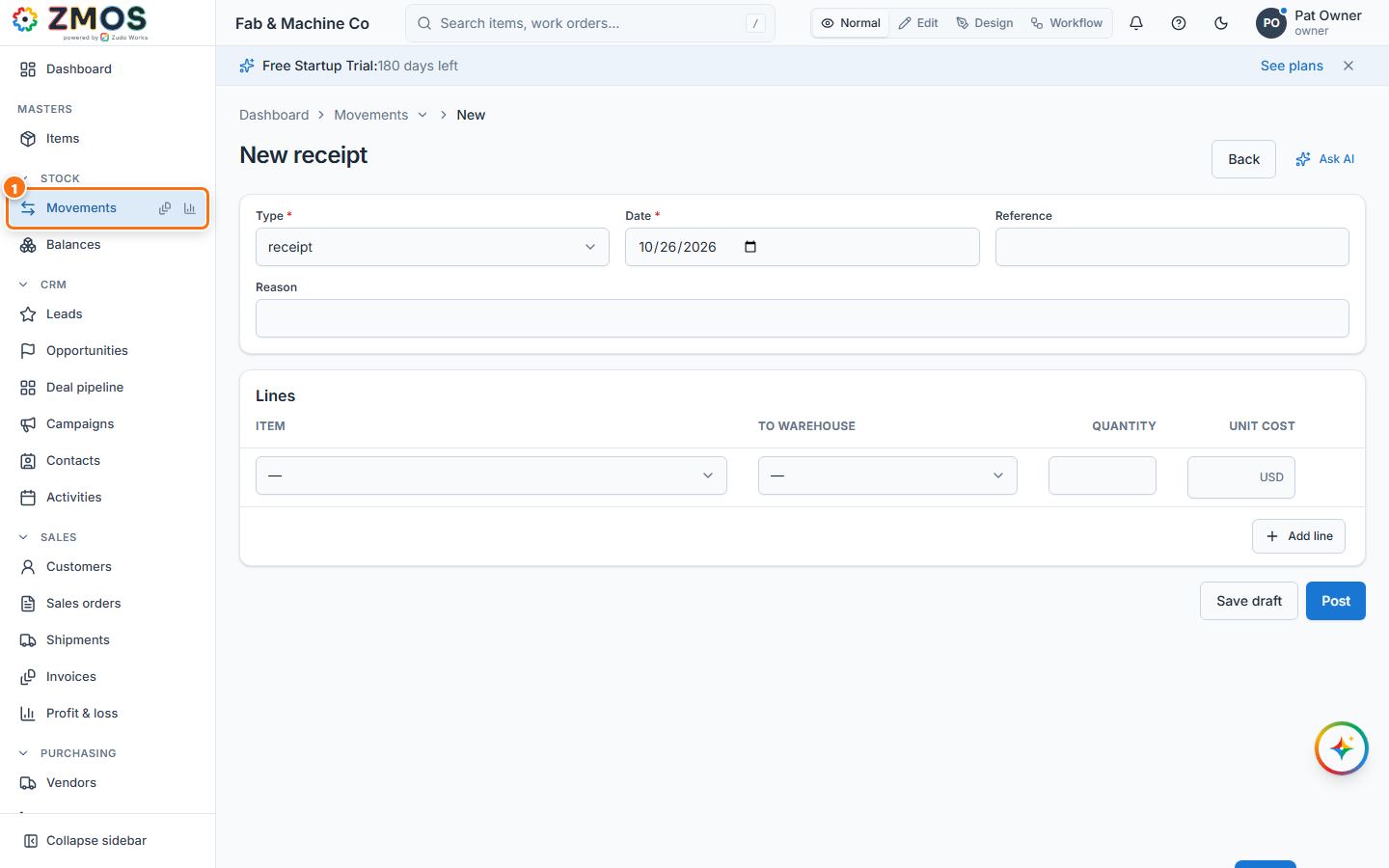
- In the sidebar, under Stock, click Movements. The New receipt form opens (Type is already "receipt"). From the Movements list, the New receipt button does the same.
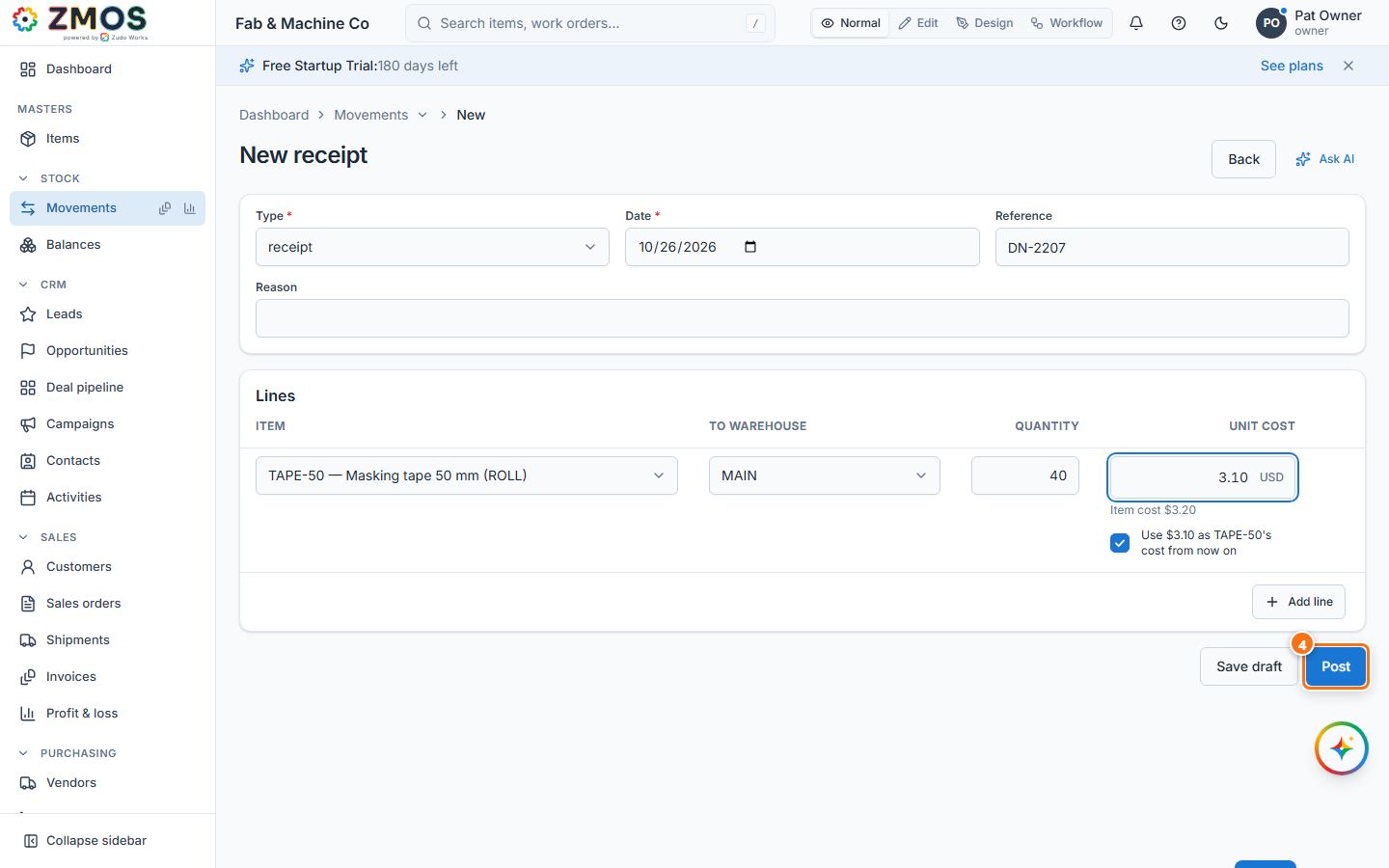
- Check the Date and type the delivery note number in Reference (for example
DN-2207). - Under Lines, choose the Item, the To warehouse and the Quantity. Unit cost starts with the item's cost (shown under the box as "Item cost …"); type what one unit really cost you. When it differs, a ticked box "Use … as …'s cost from now on" appears — leave it ticked to make this the item's cost when you post, untick it to keep the old cost. Press Add line for every further item.
- Press Post. (Save draft keeps the receipt as a draft you can finish later; a draft changes no stock.)
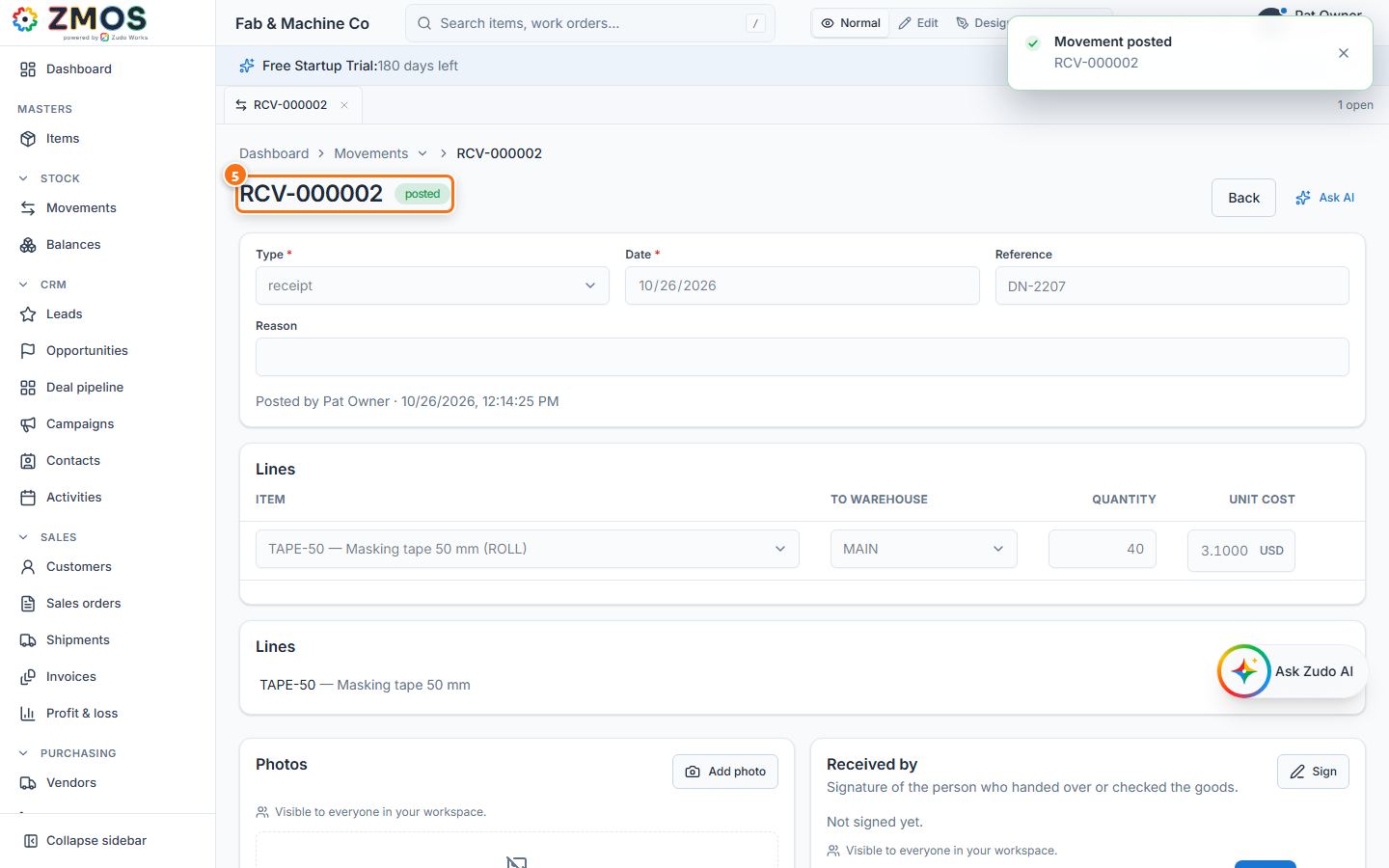
- The receipt gets its number (RCV-…) and the status Posted; the stock is on hand at once — see Stock → Balances.
Tip: a posted movement cannot be edited or deleted. To correct one, post the opposite movement (an issue or an adjustment).
Last updated