 Zudo Works
How to record an expense
Record money spent straight from a bank, cash or card account — rent, electricity, repairs.
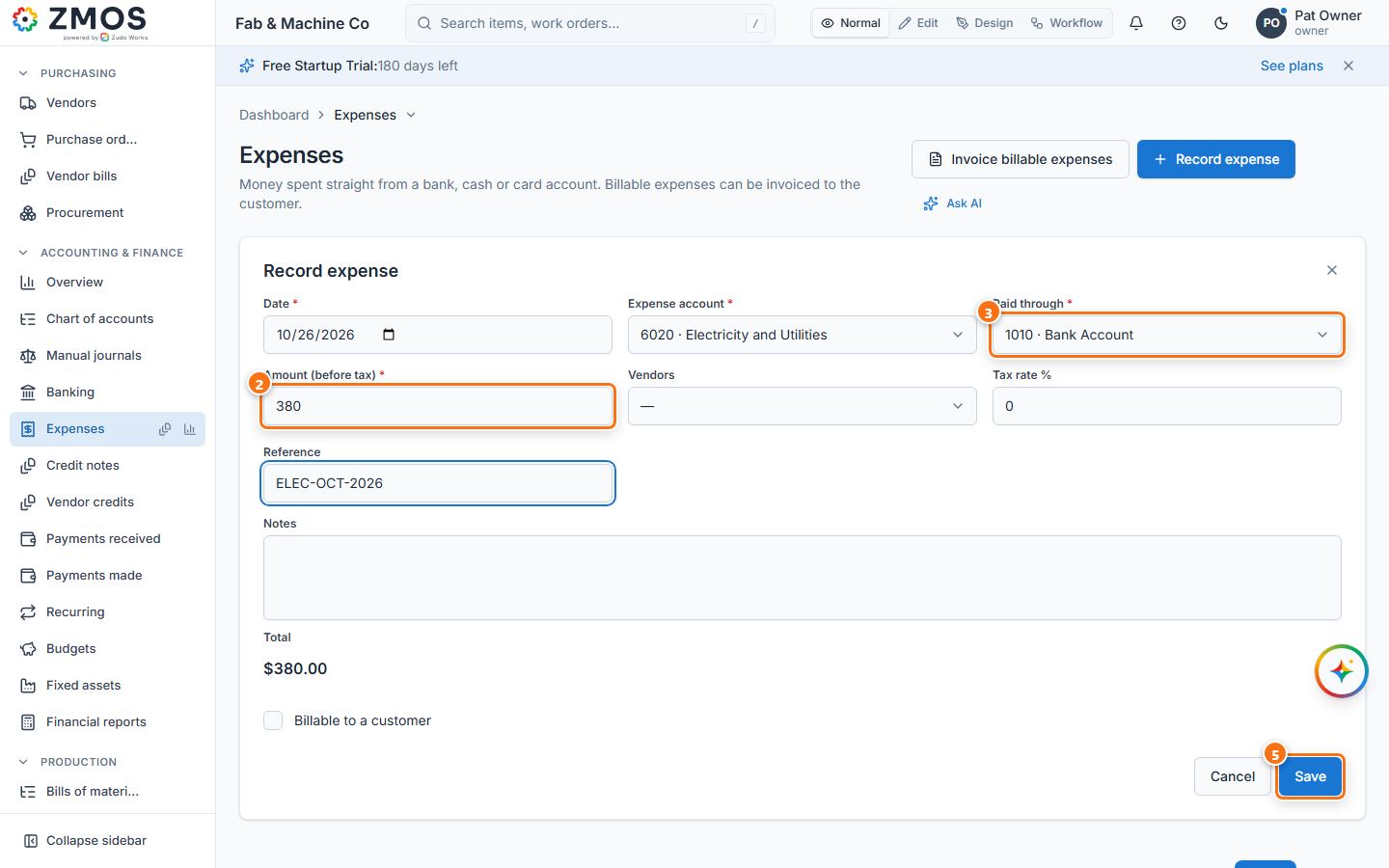
- In the sidebar, under Accounting & Finance, click Expenses. The Record expense form opens.
- Check the Date and type the Amount (before tax).
- Pick the Expense account (what it was for) and Paid through (the bank, cash or card account the money left).
- Add Tax rate % if tax was charged (Total shows the amount with tax), and optionally the vendor in Vendor, a Reference (receipt number) and Notes. Tick Billable to a customer and pick the customer to re-invoice it later.
- Press Save.
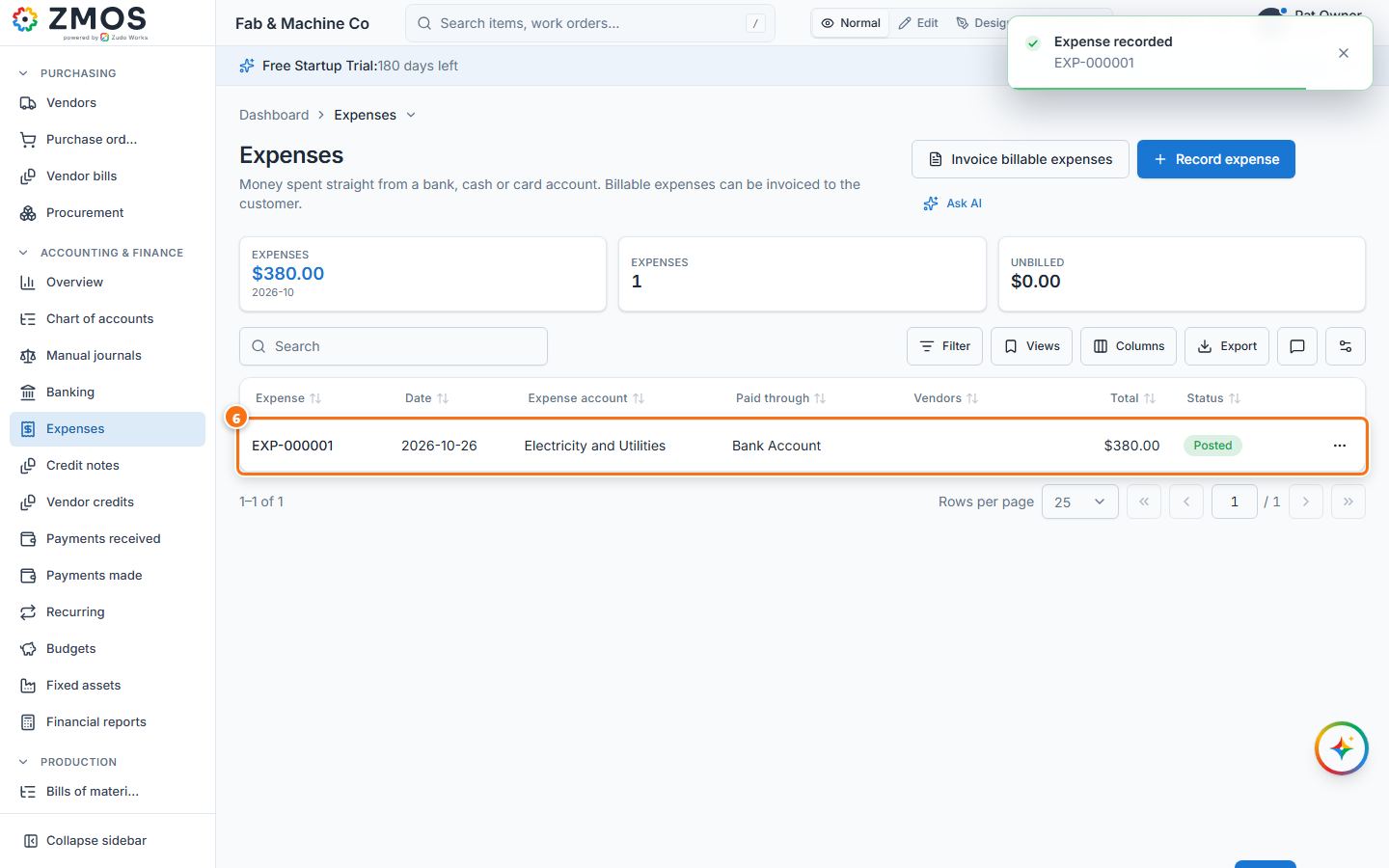
- "Expense recorded" appears and the expense is listed in Expenses.
Last updated