 Zudo Works
How to see who added or changed a record
Find out who created a record and who changed it last — on every list, on a record's page and in the audit log.
- Open the records of a section — for example hover Items in the sidebar and press Report.
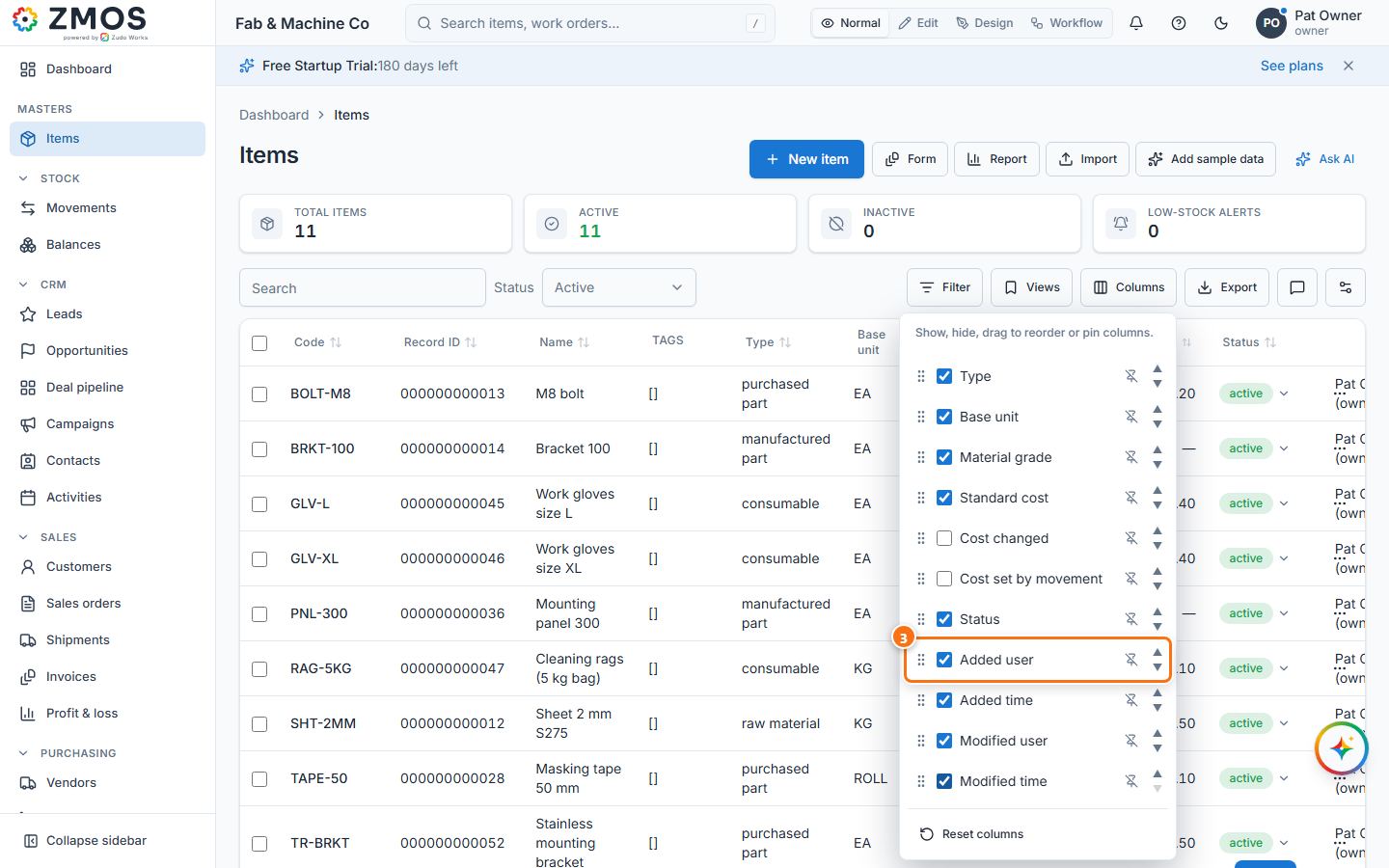
- Press Columns in the toolbar.
- Tick Added user and Modified user (and Added time / Modified time if you want the dates). The columns show the person's name and e-mail address.
- The records of a custom form show these four columns from the start; hide or move them with Columns like any other column.
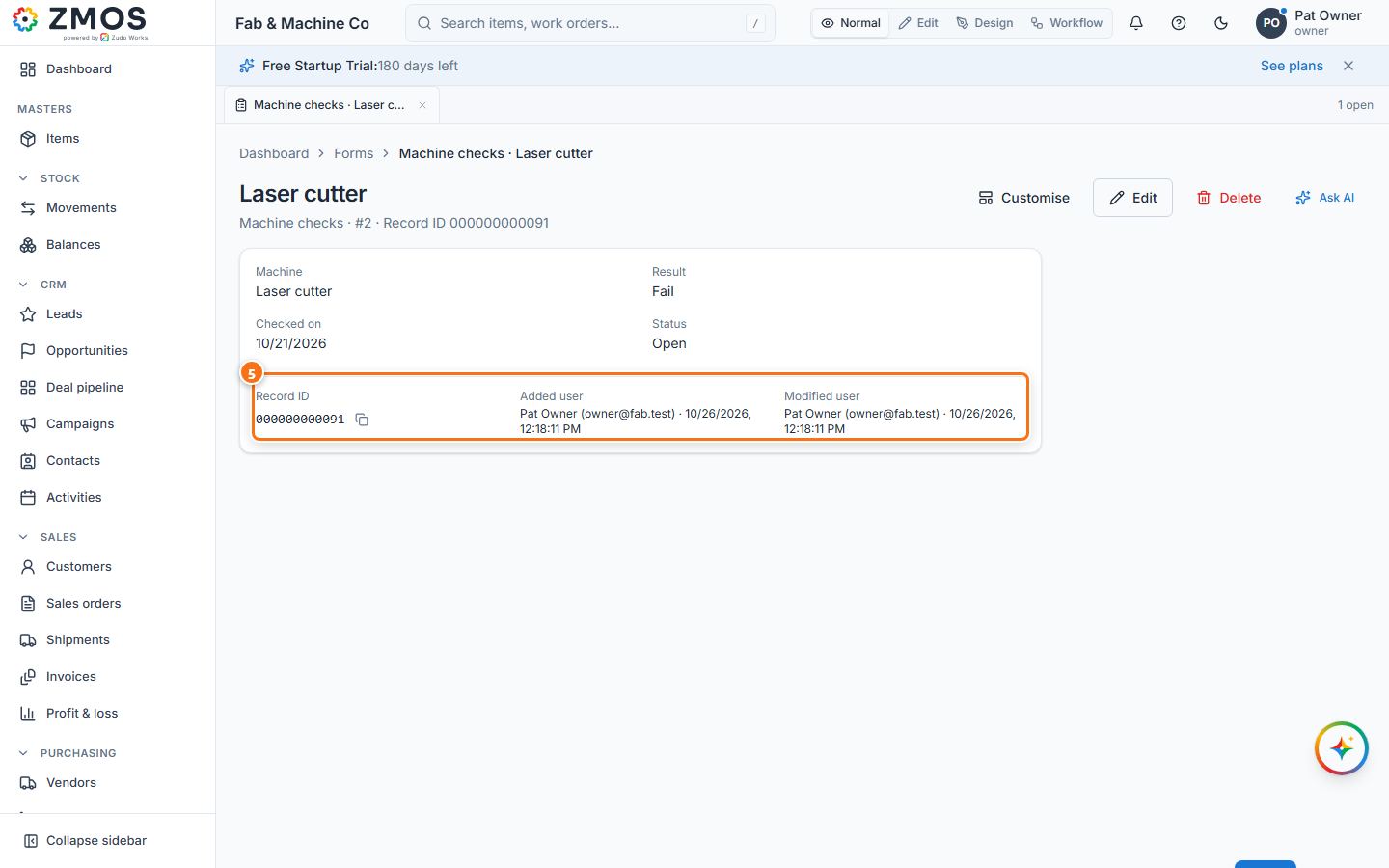
- On a record's page (click a row of a custom form's records), the bottom of the card lists Record ID, Added user and Modified user, each with the time.
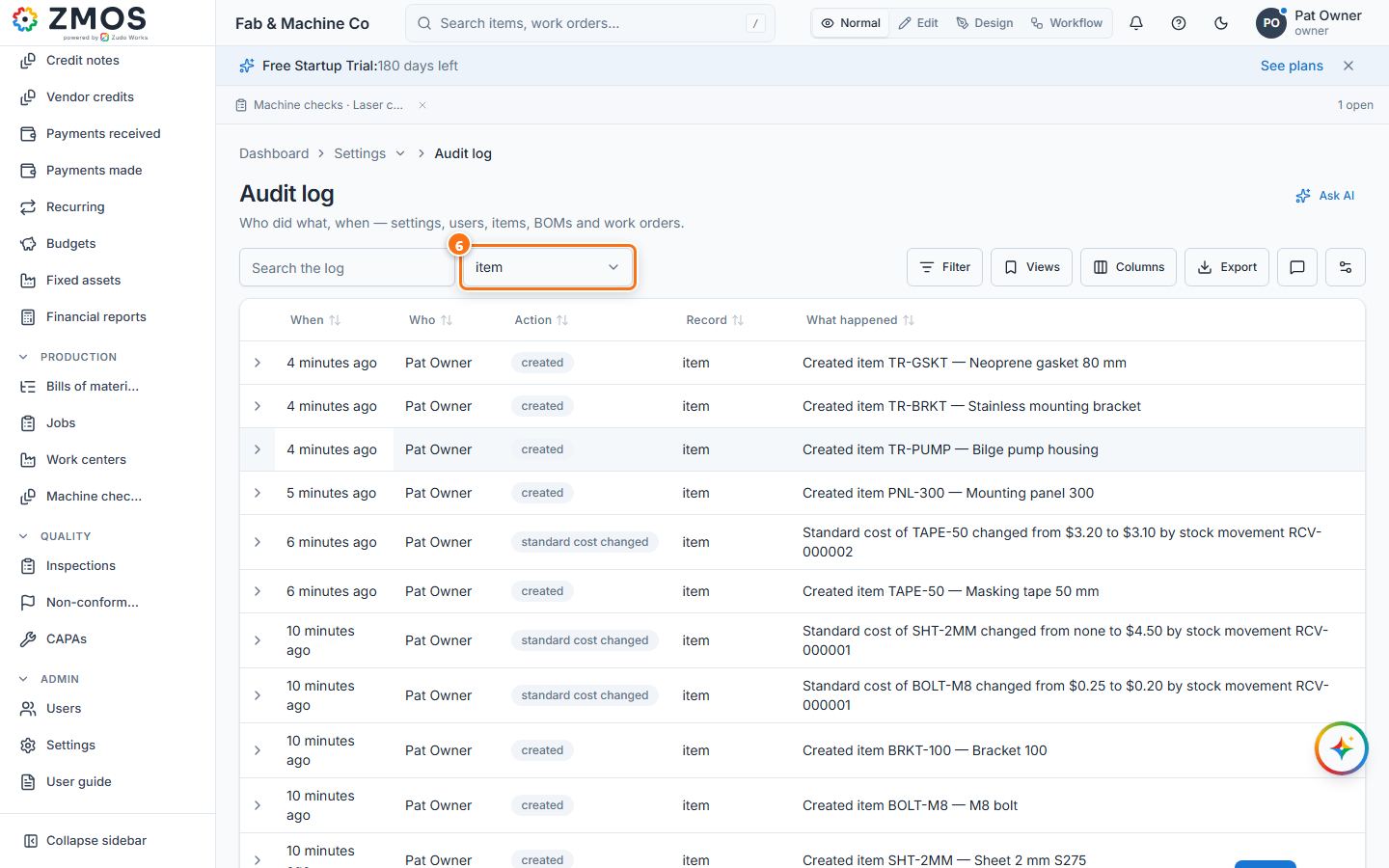
- For the history of settings, users and roles and of changes to items, BOMs, jobs, customers, vendors, orders, invoices, bills, accounting, CRM and quality records, forms and workflows (stock postings have their own history under Movements), open Settings → Audit log (under People & security): When, Who, Action, Record and What happened, newest first. Search the log or pick a record type in the list next to the search box; the arrow at the left of a row shows its details.
Last updated