 Zudo Works
How to work offline
Keep working when the connection drops: pages you opened still show, and simple records are saved on the device and sent when you are back online.
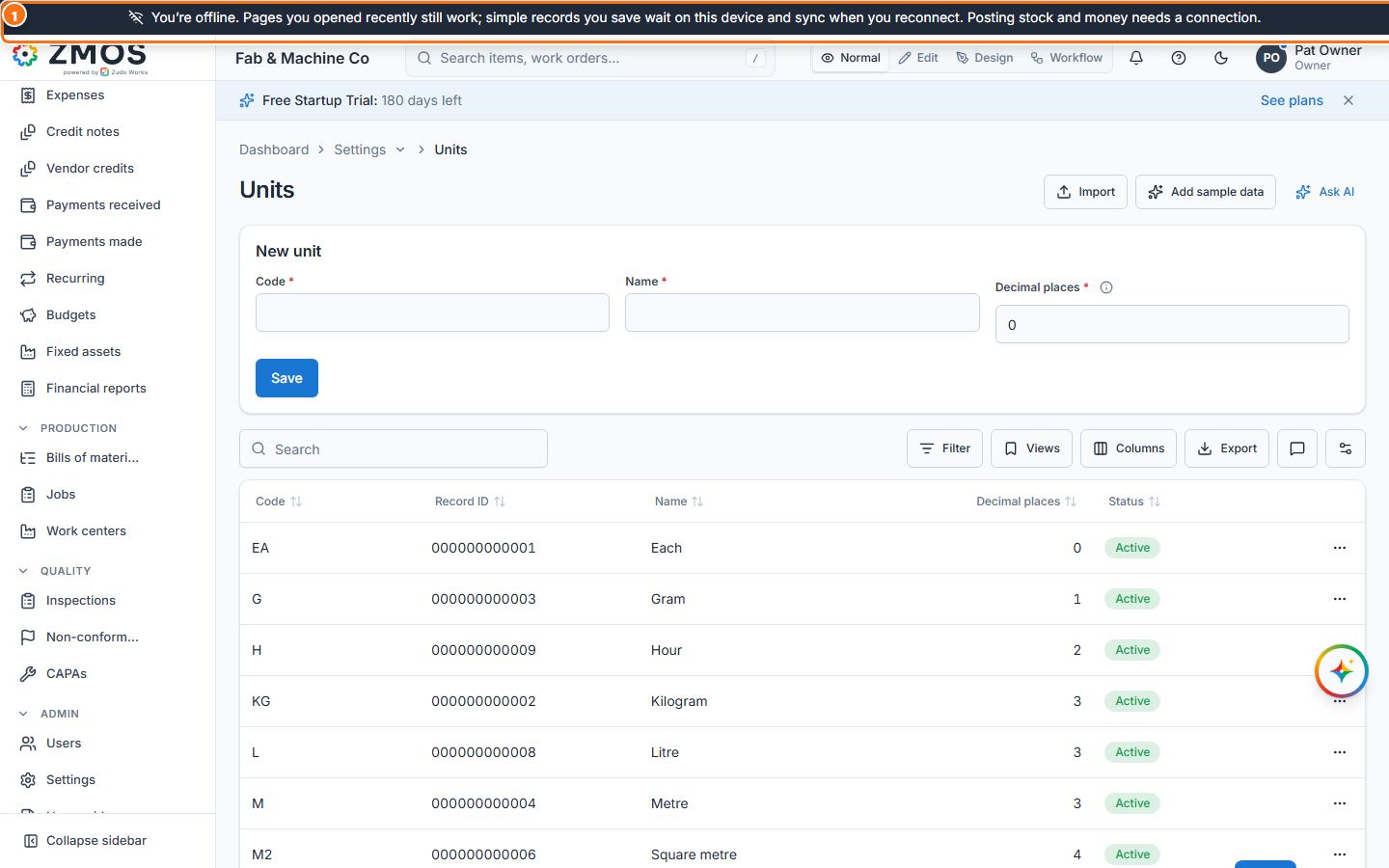
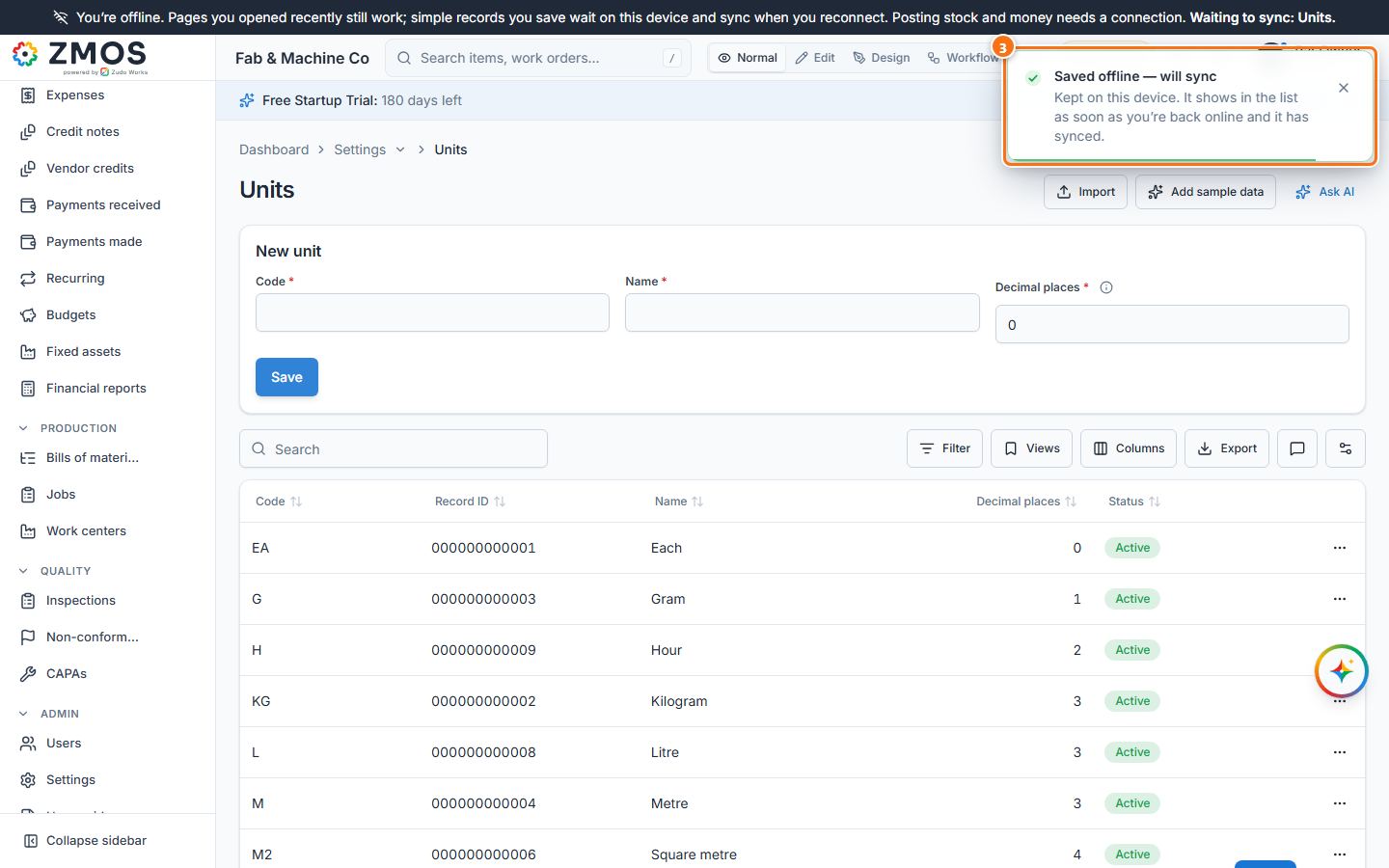
- When the connection drops, a dark bar appears above the top bar: “You’re offline. Pages you opened recently still work …”. While changes wait, it names exactly what is waiting, for example “Waiting to sync: Units.”
- Keep entering simple records — new and edited items, units, warehouses, draft stock movements, customers, vendors, work centers, leads, deals, contacts, activities, inspections, NCRs, CAPAs, comments and custom form records. For example open Settings → Units, type Code and Name and press Save.
- “Saved offline — will sync” confirms it and the form clears, as after any save. The record waits on this device and the top bar shows 1 pending.
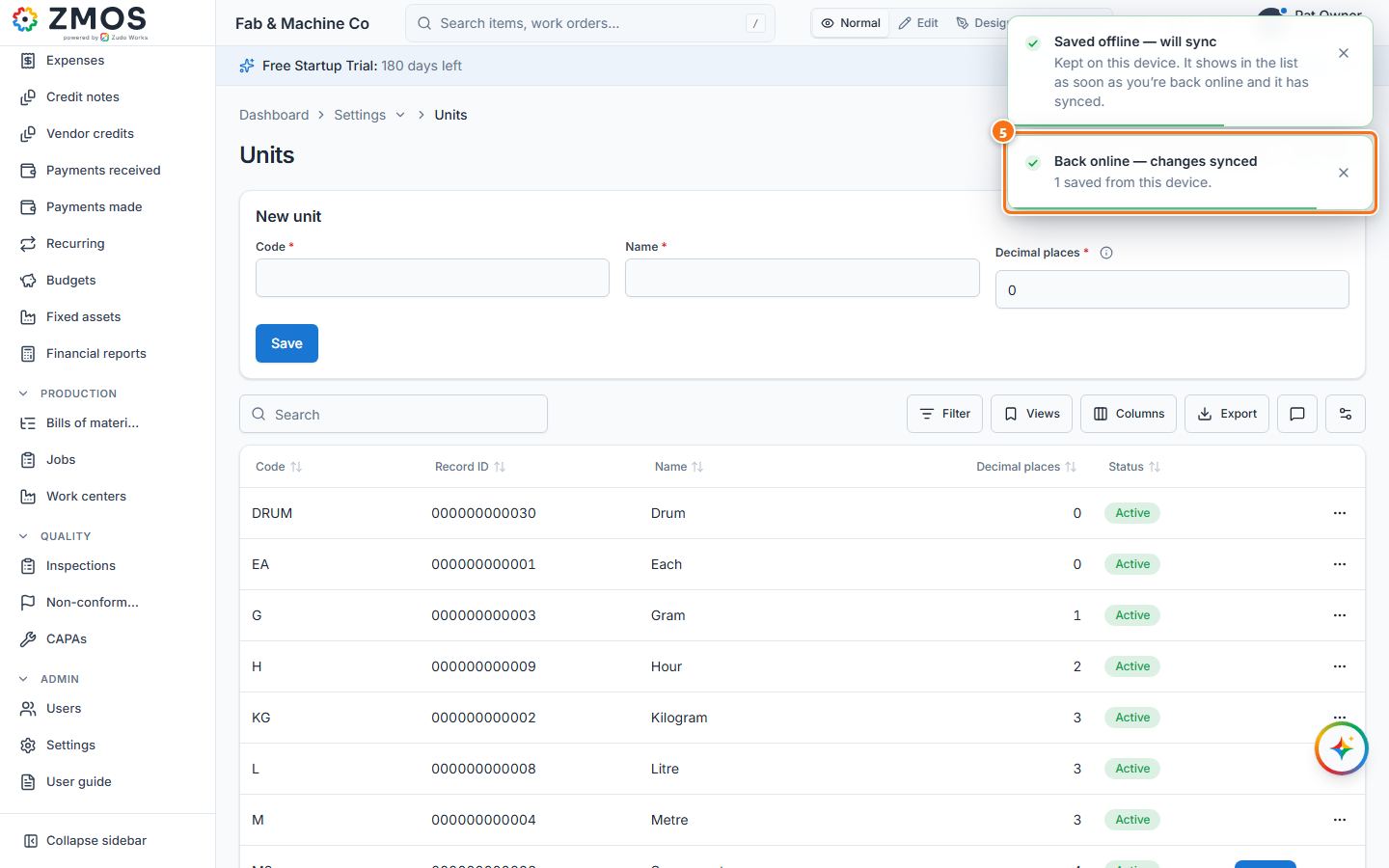
- When the connection returns, the dark bar disappears and the waiting changes are sent in order.
- “Back online — changes synced” confirms it (for example “1 saved from this device”), and the new record shows in the list at once.
- Things that move stock or money or change people and settings — posting movements, invoices, payments, journals, expenses, banking, invitations, users, settings, sign-in — are never saved offline: do them when you are online.
Tip: while changes are waiting and you are online, the top bar shows a count such as 1 pending — press it to send them at once. If the server refuses a change when it syncs (for example a code that already exists), you get a message and only that change is dropped.
Last updated